2001-12-22
_ 場所
軽井沢
_ 弘子ディナーショー@軽井沢
1400 東京駅八重州口集合なのでちと早めに 1200 外出。集合時間前にミラ品川に行って飯。ひとりで誕生日お祝い// ケーキ。ひとりでミラに来ると退屈です。
東京駅八重州口に銀の鈴広場に集合。見た方々が集まってます。
1430 バスに移動。出発。バスツアーの人間は 22 人。前回よりも人数が減ったらしいです。その影響でバスも去年より小さくなったとか。
1730 軽井沢のホテル着。先日降った雪が残ってます。寒いです。
受付をすませてチェックイン。二人部屋。ビジネスホテルの二人部屋よりもちと広いです。何を基準にしてるかが問題だけど。同質の人とちんたら会話。
1900 飯。見渡したら全体で 50 人くらいですね。
友人には「ともだち 100 人作ってくるよ」と言ったのだけど、そも 100 人居ないじゃん。
どこの国の料理?フォークとナイフを使う料理。みんな慣れてないとか、イベントは全国がデフォだよとか、ワイン飲んだら顔がすぐに赤くなったをれとか。最後のコーヒー飲んで終わり。
2100 コンサート。結婚式場みたいな場所。あまり広くないです。弘子さんの声に魅了されつつ良い気分。詳細は今度出る かふぇぱら にて。高野さんががんばってくれるでしょう(他力本願)。
途中で弘子さんの手酌で全員にシャンペン。
おれ「今日誕生日なんです」
弘子「おめでと〜」
弘子さん、近くで見るとやっぱ綺麗っすね。
2300 コンサート終了。去年は歌以外になんかあって、アンコールもあって 2330 くらいまでやったらしいです。今日は早いっすね。
西田さんや ぼんちさんたち酒豪が集まるらしいので僕もお邪魔しました。
かふぇぱら な方々ってそれほど多くないのですね。高野さんを中心とした集まり。あとは知らない方々が多かったです。
酒を持ち込んだ方々が居られました。日本酒とか日本酒とか日本酒とか。ちんたらヨタって 0100 ころ寝ました。
2002-12-22
_ 笠原弘子ディナーショー@軽井沢 1 日目
* 移動
現地集合、現地解散。1900 までにチェックインしてディナーという予定。1500 ころ外出。ホテルは去年と同じ。去年行ったときに AirH" が使い物にならないということは分かったので、今回は計算機を持参しなかった。
東京駅から「あさま」に乗って軽井沢へ。1700 ころ軽井沢着。軽井沢って近いですね。バスで行くとものすごい遠くに感じるんだけど、それにだまされた。
軽井沢はゆきでした。積もってました。しかしホテルまでの道のりが分からない。あっちで良いのかなと駅を出てすぐのところでちんたらしてたら西田 編集長に遭遇。ホテルまでの道を知ってるということなので同行。
1730 ころチェックイン。部屋は 2 人部屋。ヲレの相方の尾高というひとはまだ来てないとのこと。すぐそこに居たぼんちさんに挨拶。ぼんちさんがいうには「尾高さんは伝説のひと」だそうな。なにやら昔のかふぇぱらの執筆してたということで。こわいひとと一緒になったな。
1900 にディナーで 1845 にロビーに集合。部屋に荷物を置く。ものすごく暑い。暖房効きすぎ。まだ時間があるので外を散歩しようとしてロビー行ったらたかのさんと遭遇したので挨拶。高野さんも尾高さんをご存知らしい。執筆陣ならいうまでもないか。
* ディナー
散歩から帰ってきて部屋でごろごろ。 1845 になったのでロビーに行こうとしたところで尾高さんという方と遭遇。ぎりぎりです。一緒にロビーへ移動。
テキトーな席に座ってディナー。普通に飯。今年はナイフとフォークなんてここでしか使ってないような季がする。
食事してるときに尾高さんと会話して驚いたのだが、尾高さんは某伊川氏が運営する関西イベントな ML とか mari-off-rc5 ML ( ML だぞ )に居るらしい。関西の某ひと→たかのさん経由で拉致られたとか。はぁ。世の中は狭い。
* ライブ
2100 からライブ。飯食って 2045 からチャペルに移動。名前からするように普通に結婚式とかやったりする場所。並んでる席に順番に座る。ヲレは整理番号 4 番なので最前列。酒を飲んだので眠い。
歌は昔の歌をアレンジ。最近の弘子さん風味と言って分かるでしょうか。ヲレが知ってるのは Super Best 以来の歌だけ。今回歌っているのはそれ以前の歌。昔からのファンではないので昔の歌を聞いてもあまり感慨深いものはないのだけど、普通にうっとりできました。はふーん。
去年は歌のほかに全員にシャンパンを注ぐという行事があったんだけど、今年は歌だけでした。それはそれでいとをかし。曲名はさっぱりです。かふぇぱらのレポートだけが頼り。
2300 ころ終了。解散。
* 夜
隣の隣のぼんちさんの部屋に移動。まだ誰も居なかった。秋田から持参したという酒で乾杯。ヨタヨタ〜。西田辺酋長キター。たかのさんキター。尾高さんキター。
学生のころに尾高さんがライブツアー( いつだったか知らん )を制覇して、そのときたかのさんを拉致ってツアー制覇したらしい。たかのさんをひきずりこんだエライ方らしい。あと編集長は若山さんに継承して西田さんは隠居だそうな。
0200 ころになってみなさん力尽きだしたのでヲレも寝る。ぱた
2003-12-22
_ 祥子さま
0910 出。新丸子から横浜方面でなくて渋谷方面に乗りそうになった。
1155 新幹線のなかで まぶらほ読了。
1220 稲沢到着。どこぞの喫茶店。すばらしく時間がないので注文して来たばかりのハヤシライスを流し込んだらヤケドした。
1310 M 着。工場だ。
1800 打ち合わせ終了。
1930 稲沢発。
2010 新横浜着。
2200 帰社。
_ そおいや
今日は自分の生誕日。メールもらうまですっかり忘れてた。
_ 名古屋
すばらしく寒かった。どうも前日あたりは雪が降ったらしい。
_ ヲレ生誕
毎年 12/22 の数値のならびはヲレにとって特別なのだけどカレンダーを見たりしないと今日が特別な日ということすら思い出せない。仕事してて自分の誕生日すら忘れるというのはこーいうことなのだなと。
こんなヲレでも祝いの言葉をくれるひーとびーと♪ ひーとびーと♪ が居るなんてありがたいです。
そんなわけで 26 歳でつ。
はあ...。もう 26 。
_ 仕事
0220 退勤。
2004-12-22
2005-12-22
_ 誕生日
28 歳になりました!
今年も無事に誕生日を迎えることができました。
「 誕生日は生まれたことを感謝する日( C )飯塚雅弓 」です。去年もみんなに感謝しましたが( 2004-12-22 )去年は感謝する実感はなくても、まごころは無くても言霊メソッドにより( 2004-10-06 )とにかく感謝を言葉にしました。
でもここ数ヶ月で自分が生きてることに感謝できるようになりました。よき友人たちが居ることに感謝できるようになりました。それはなぜか。
毎日のように派遣先まで自転車通勤してると、退勤してから家に帰るたびに「 今日も無事に帰れた! 」と思うようになったからです笑。ぃゃ笑い事じゃないけど、交通量が多い道路を通勤路として使うととても生きた心地がしないのです。道路には歩道はあるけど自転車用の道はないのです。日本の道路は自転車にとって走りづらいのです。はてなの近藤さんもそう言っている。
そして私のまわりにいる方々、私をとりかこむ環境に感謝できるようになったのは、「 人を動かす 」「 道は開ける 」を読んだからです( 2005-11-02 2005-11-20 )。なんだか宗教的なヤバさを感じさせそうなことを言っているけど、まあ聞きたまえ。とくに「 道は開ける 」には感謝する重要さが書いてあります。「 感謝なんていらねーよ 」というひとを説得するための言葉が書いてあります。ただし、読むときはそれらの言葉の最後に「 :-) 」の顔文字を付加させると読みやすいかもしれない。私はそのようにして読みました。
「 あのひとは教養が無さそうな、頭が悪そうな言動をしている 」と思ったら、「 私はあのひとのような環境にならなくてよかった、一般教養があってよかった、いまの環境に居てよかった、あのひとほど不幸ではない、私は幸せだ 」と考えるのです。
ところで「 汝の隣人を愛せ 」というキリストの言葉があります。「 道は開ける 」ではこの言葉の重要さも教えています。以前の日記から引用。
「 なぜ他人を喜ばさなくてはならないのですか? やつらは少しも私を喜ばそうとしないのに 」
「 あなたの健康のためですよ 」
隣人を愛することは自分の精神の健康のためなのです。
私はキリスト教ではないけど「 汝の隣人を愛せ 」の言葉は実感できます。
このように考えることにより、日々を感謝して過ごすことができるのです。
どこまでが冗談でどこまでが本気なのか分からなそうなことを書いてるけど、全部本気です。これが私の本心です。
だから感謝します。
この 1 年を過ごせたことに感謝します。
自分が健康であることに感謝します。
私を支えてくれた方々に感謝します。
父や母や兄に感謝します。
いつも一緒に飲んでくれる友人たち、一緒に昼飯を食ってくれる友人たち、一緒にヨタってくれる友人たち、会うことはないけど連絡をくれる友人たち、友人たちに感謝します。
_ 仕事
割り込みと DPRAM( デュアルポート RAM ) などの組み合わせは signal と共有メモリなどと同じようにプロセス間通信なのだなと、回路図を眺めながら想った。


2006-12-22 :-)
_ [誕生日] 29 歳
三輪の 29 回目の誕生日です。
今年も無事迎えることができました。
いつも支えてくれる父や母や兄に感謝します。
いつもヨタにつきあってくれる友人たちに感謝します。
去年から楽しく過ごせました。
これから 1 年も楽しい 1 年にします。
_ [UNIX][Enterprise][Mac OS X]The State of Enterprise Unix
超訳すると、Mac OS X がんばれ。( BSD しか見てないやつ )
_ [はてな][Firefox]手がどもる
Firefox のアドレスバーに文字列を入力するとそのまま Yahoo! 検索してくれるのでためしに「はてな」とはてなid を入力してみた。
「はてな rin51」を入力したら http://d.hatena.ne.jp/rin51/ がトップになった。

「はてな hyuki」を入力したら http://d.hatena.ne.jp/hyuki/ がトップになった。

_ [Hiki][URI][Wiki][trac][Firefox] Firefox の Copy URL+ と Trac WikiFormat は相性が悪い
Copy URL+ が生成するのはたとえばこう。「タイトル → URI」という順番になる。
WikiFormatting - The Trac Project - Trac
http://trac.edgewall.org/wiki/WikiFormatting
Trac Wiki でのリンクの書き方はたとえばこう。「URI → タイトル」の順番で書く。
[http://www.edgewall.com/ Edgewall Software]
[wiki:TitleIndex Title Index]
[wiki:ISO9000]
Copy URL+ が生成する文字列と順番が逆なので Copy URL+ でコピーしてから Trac Wiki に貼り付けるときにその都度順番を変えなければならない。めんどくせ。
ちなみに hiki はこう。Copy URL+ と同じく「タイトル → URI」の順番なので貼り付けるのが楽なんだる。
[[WikiFormatting - The Trac Project - Trac| http://trac.edgewall.org/wiki/WikiFormatting]]
誰か wiki format を統一してくれ。
_ [Windows 2000][DLL] 探しものはなんですか
DLL です。
ref.
HKLM\System\CurrentControlSet\Control\Session Manager\SafeDllSearchMode の値によって検索順序が変わる。
- Windows Vista, Windows Server 2003, and Windows XP SP2: The default value is 1.
- Windows XP and Windows 2000 SP4: The default value is 0.
If SafeDllSearchMode is 1
- The directory from which the application loaded.
- The system directory. Use the GetSystemDirectory function to get the path of this directory.
- The 16-bit system directory. There is no function that obtains the path of this directory, but it is searched.
- The Windows directory. Use the GetWindowsDirectory function to get the path of this directory.
- The current directory.
- The directories that are listed in the PATH environment variable. Note that this does not include the per-application path specified by the App Paths registry key.
If SafeDllSearchMode is 0
- The directory from which the application loaded.
- The current directory.
- The system directory. Use the GetSystemDirectory function to get the path of this directory.
- The 16-bit system directory. There is no function that obtains the path of this directory, but it is searched.
- The Windows directory. Use the GetWindowsDirectory function to get the path of this directory.
- The directories that are listed in the PATH environment variable. Note that this does not include the per-application path specified by the App Paths registry key.
_ [深追イスト][依存][DLL][dependency][ふー、びっくりした。]ふー、びっくりした。でもそれって本当に問題なのかなあ
Dependency Walker に dll を読ませて依存関係がある dll をごにょごにょしてみたんだが先はまだ長いようだっていうかまだ暗闇。
あー
もー
だからあれほど正攻法でやれと言ったんだヲレ。
目指せ 深追イスト
_ [プラネテス][折笠愛][豊口めぐみ][BLACK LAGOON]ロック!そいつを見るな、傷になる!
BLACK LAGOON 最終話。
ひとは傷つきながら成長していく。
首に刀を刺す場面は思わず引いた。
ところで BLACK LAGOON 第一期の第一話でレヴィの声を最初に聞いたときは プラネテス のフィー・カーマイケルのヤクザなキャラがレヴィと被って折笠愛の声かと思ってしまったがレヴィの声は豊口めぐみなのだね、ということを ED のスタッフロールを見て知った。やるな豊口めぐみ。
_ 再生医療のしくみ
読み終わり。
人間は怪我や病気で身体の一部を失う。骨折や火傷や心筋梗塞など。再生医療とは、そのようにして失ってしまった身体を補う医療のことを言う。
身体を補うには
- 失った細胞を補う
- 人工臓器などで補う
といった手段がある。
細胞を補うには自分の失った細胞とは別の部分から自分の細胞をもってきて失った部分に移植したり、他者から移植したりする。
自分の細胞を移植する場合は幹細胞というのを使う。幹細胞にはいくつかあって、たとえば血液の幹細胞は骨髄で作られるそうだ。でも具体的に骨髄のどこで作られるかはまだ判明してないらしい。でも幹細胞が作られる部分が判明しているところもある。たとえば毛髪の幹細胞はバルジというところで作られる。ていないことがあるけど
他者からの移植として肝臓移植などあるけど、究極は ES 細胞を移植する。でも ES 細胞は胚から取り出す。胚ってなに? 胚とは受精卵のこと。受精卵から ES 細胞を取り出すとその受精卵は胎児にならない。受精卵を殺すわけだ。このような事情があるので ES 細胞を使うには倫理的な問題がある。
人体はまだまだ未知の部分があるので再生医療もまだまだ発展していく。
4534041608
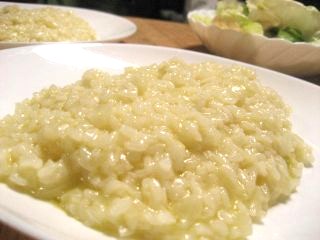



2007-12-22 :-)
_ 朝ったー
0540 起床。チャリったー
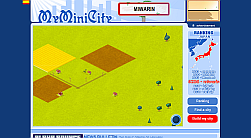
_ [MyMiniCity]MyMiniCity はじめました
先週 Twitter で話題になってて知りました。ようやっと作りました。誰かがクリックしてくれると町が発展していくらしいです。自分は何もしない。放置。
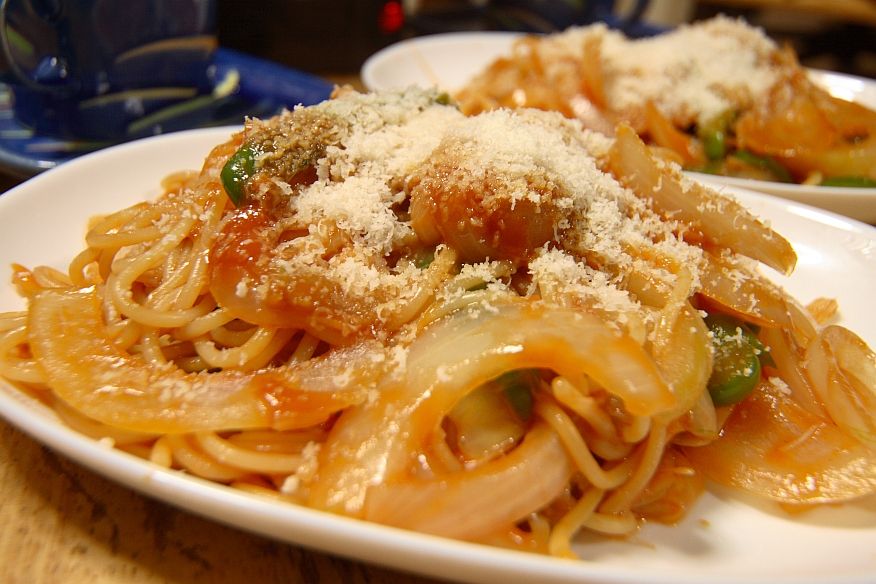

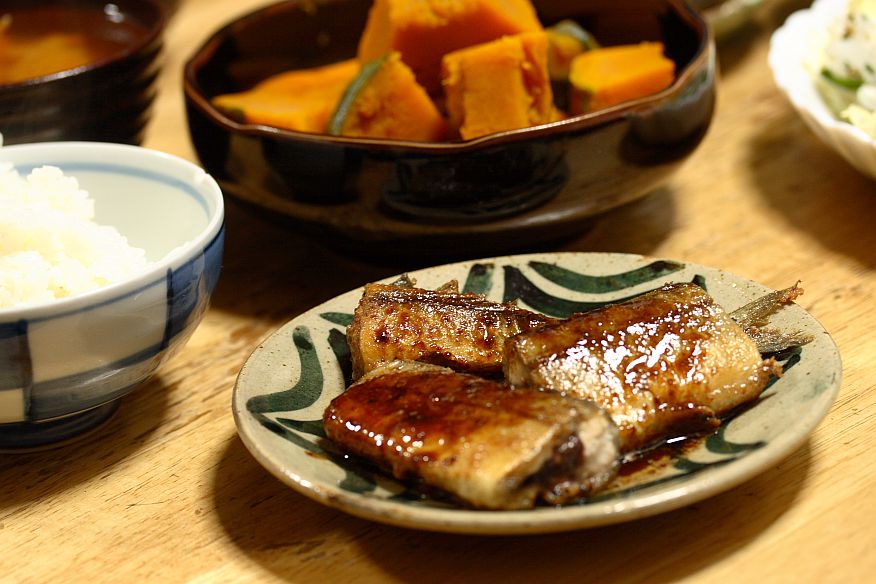
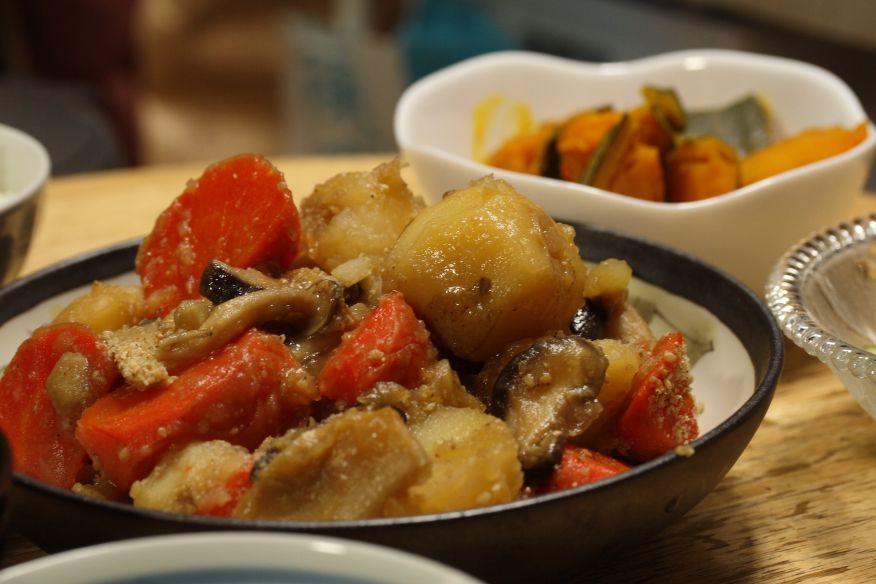
_ [飯][さんまのムニエル バターぽん酢][かぼちゃの含め煮]飯
さんまのムニエル バターぽん酢( ref. きょうの料理 2007-09. p14 )、かぼちゃの含め煮( ref. 食彩浪漫 2005-12 p.31 )。
_ [おやつ][イチゴのショートケーキ]おやつ
イチゴのショートケーキ( ref. ちゃんと作れるスイーツ pp.30-31 )。自分への誕生日ケーキ 兼クリスマスケーキ前哨戦 兼ショートケーキ再挑戦です。3 つも兼ねられるなんて!ツイてます。
今回はハンドミキサーを購入しました。
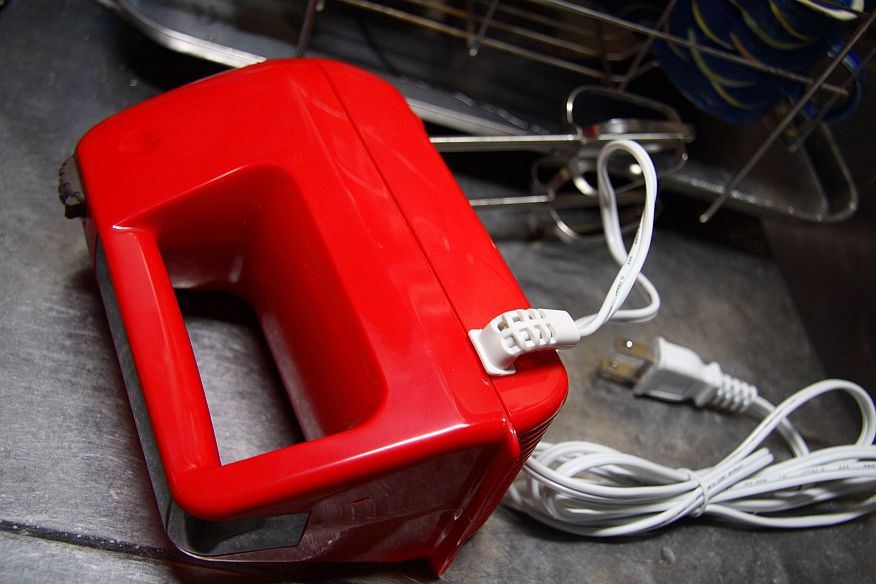
ぶううううん。ひたすら泡立て。おおすごい。泡が出来た。スポンジはこんな感じ。ハンドミキサーすげー。前回[ 2007-12-09 ]はスポンジが型からはみ出るくらいまで膨らみませんでした。やはり全然泡が足りなかったようです。
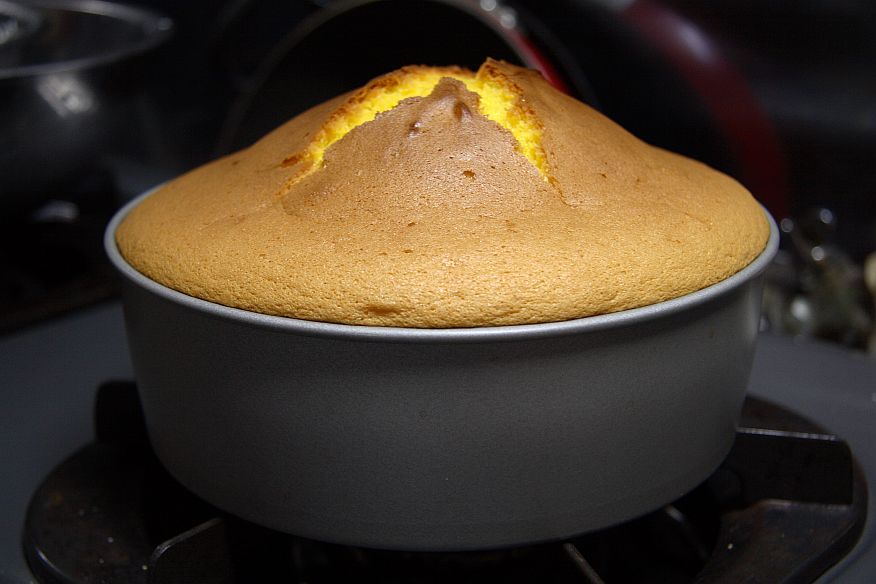



ということで今回も食べすぎました。おなかいっぱい。
2008-12-22 :-)

_ 仕事
0830 出勤。
_ [M] mbdb - TweetValue─Twitterのプロフィール価値を算出してくれるサービス
( via ヲハニュース )
サイトはこちら→ TweetValue
ということで私もやってみた。
Your Twitter profile is worth: $1142
何を基準にしてるんだろうか。
2009-12-22 :-)
_ 朝ッ
0530 起床
_ [Charlie Root][BSD]Charlie Root からお手紙ついた
To: root@area51.gr.jp
Subject: hitomi.area51.gr.jp daily output for Tue Dec 22 03:15:00 JST 2009
Message-Id: <20091221181923.C62433E3FF@sakura.area51.gr.jp>
Date: Tue, 22 Dec 2009 03:15:01 +0900 (JST)
From: root@area51.gr.jp (Charlie Root)


Uptime:  3:15AM up 1 day, 17:18, 0 users, load averages: 0.37, 0.86, 0.67

Possible core dumps:
/home/rin/diary/jless.core
/home/rin/work/cpp/a.out.core
/home/rin/ruby18.core

Checking subsystem status:

disks:
Filesystem        Size       Used      Avail %Cap    iUsed   iAvail %iCap Mount
/dev/wd0a         2.0G        33M       1.9G   1%     2843   258275   1% /
/dev/wd0f         9.8G        37M       9.3G   0%     1644  1295762   0% /var
/dev/wd0e          20G       2.4G        16G  12%   328820  2265994  12% /usr
/dev/wd0g         115G       3.0G       106G   2%   210915 14884891   1% /home
ptyfs             1.0K       1.0K         0B 100%      896      128  87% /dev/pts

 :
システムの情報じゃないか...! こ、こわい! Charlie Root っていったいだれなの...!?
Charlie Root (オペレーティングシステム) - Wikipedia
Charlie Rootは、BSD系オペレーティングシステムの管理者ユーザ(→スーパーユーザー)の初期設定値である。
なぜBSD系OSの管理者IDがCharlie Rootであるのかは、BSDの歴史上最大の謎の一つであり、未解決の問題となっている。調査の結果、野球選手Charlie Root説、フォネティックコード説の2つが有力であると考えられるが、いずれも決定的な証拠に欠けるため、正確な意味を把握するためには、今後の関係者の証言を待つ必要がある。
おそろしい...ッ
謎が謎を呼ぶ...!
function 謎 {
 謎
}
2010-12-22 :-)
_ 33歳なう
ども
_ 夜
1800 ケーキ買う玉川高島屋
1830 鶏肉買う近所の肉屋
1900 コーヒー
2000 RR7 EO TA...もう無理かもしんない
2100 飯。母さん、明日は弁当いらないのだよ
2200 録画しておいた NHK 追跡!AtoZ はやぶさ快挙はなぜ実現したか を見た
2011-12-22 :-(
_ 34歳になった
来年はアラフォーェ...
_ [NetBSD][翻訳]developerWorks - Get to know NetBSD NetBSD を知ろう
Summary: NetBSD runs on more hardware platforms than any other UNIX(R) derivative due to smart design decisions and a commitment to portable code. Whether you're porting an operating system to a proprietary embedded system or looking for stability and compatibility across hardware platforms in the lab, NetBSD and its open license is a compelling alternative to Linux(R) and the GNU Public License (GPL).
概要: NetBSD は、賢い設計決定とポータブルなコードにより、他の様々な UNIX 系よりもたくさんのハードウェア上で動作する。あなたのオペレーティングシステムをプロプライエタリな組み込みシステムへ移植したり、研究室でハードウェアプラットフォームを横断した安定性と互換性を追及{looking for}したりするとき、NetBSD とそのオープンライセンスは Linxu や GNU Public License (GPL) の代替となる。
One feature listed on the NetBSD Web site is that the operating system is hype free. I can do without hype, but generating some buzz for this operating system that is often overlooked certainly wouldn't hurt.
NetBSD ウェブサイトに挙げられてる 1 つの特徴は、オペレーティングシステムは拡張が自由{hype free}である、ということだ。拡張なしでは (上記のことを) 出来ないし、このオペレーティングシステムに作られたいくつかの buzz {「諸々」といった意味か????} は、高い視点で見れば傷つかずに済むことがある。
NetBSD has an interesting architecture, which is often taken for granted and rarely commented on outside Berkeley Software Distribution (BSD) circles. The system's well thought-out design allows for wide hardware support, a small footprint, stability, and security. NetBSD's unique features include a new paradigm for handling device drivers and other interesting innovations.
NetBSD は面白いアーキテクチャを持っている、というのは当然だし、バークレーソフトウェアディストリビューション (BSD) 界隈を外れたところでのコメントはほとんどない。システムは考えられたうえでの設計は幅広いハードウェア対応、小さい置き場所、安定性、セキュリティを許す。NetBSD のユニークな機能は、デバイスドライバをハンドルし、他の面白い技術革新のための新しいパラダイムを含んでいることだ。
These design decisions and commitment to source code, which not only works but works right, have helped NetBSD lay claim to being the most portable UNIX(R) derivative in existence. It particularly excels in embedded systems, but you should also consider it as a compelling alternative to more mainstream servers, desktops, and laptop operating systems.
これらの設計決定とソースコードへの誓約は、動作するということだけでなく、正しく動作するということだ。NetBSD がUNIX 系で最もポータブルであることへの要求に対応することを助ける。とくにすぐれているのは組み込みシステムだが、多くの主要サーバー、デスクトップ、そしてラップトップオペレーティングシステムと同様である???????????
An introduction to BSD (BSD の概要)
Three major BSD-derived operating systems are freely available: NetBSD, FreeBSD, and OpenBSD. All three systems are related to the original BSD distribution of UNIX, which dates back to the 1970s. In the early 1990s, at about the same time Linux(R) was coming together as a legitimate competitor to UNIX, a separate track was being forged to create a free UNIX-like operating system based on BSD. All three BSD versions have strong points, with FreeBSD leading the way in user base, OpenBSD leading in security, and NetBSD leading in portability.
BSD 由来の 3 つのおもなフリーな実装のオペレーティングシステムは、NetBSD、FreeBSD、そして OpenBSD がある。3 つすべてのシステムは、1970 年のころのオリジナルの UNIX の BSD ディストリビューションに関連する。。1990 年初頭、同じ時期に Linux が UNIX の正当な競争者に加わった。枝分かれにより、BSDを基にした UNIX ライクのオペレーティングシステムを作り出すことを進ませた。3 つの BSD バージョンにはすべて長所がある。FreeBSD はユーザーベース、OpenBSD はセキュリティ、NetBSD は可搬性に優れている。
Of course it runs on NetBSD (もちろん NetBSD なら動作する)
You can port NetBSD to run on just about anything with a processor -- hence the motto, "Of course it runs on NetBSD." NetBSD supports more than 50 platforms, ranging from old 68K and million instructions per second (MIPS) systems to the newest x86_64 processors from Advanced Micro Devices, Inc. (AMD) and Intel(R). Furthermore -- and possibly more importantly -- NetBSD has been ported for use on a massive number of embedded systems.
あらゆるプロセッサ上で NetBSD を動作させるために移植することができる。標語としてよく言われるのが「Of course it runs on NetBSD」(もちろん NetBSD なら動作する)。NetBSD は 50 以上のプラットフォームに対応している。MIPS のシステムである古い 68K から、AMD と Intel の最新の x86_64 プロセッサまで。さらに(これが重要なんだが)、NetBSD は数多くの組み込みシステム用途として移植されている。
Embedded systems (組み込みシステム)
Embedded systems are huge part of everyday life in the 21st century, far outselling traditional computing devices such as desktops, laptops, and servers. From mobile phones to automobiles to cable boxes, you're more than likely using a computer in some aspect of your life. The operating system and software that sit inside these devices is often as important as the traditional engineering decisions that go into their design.
組み込みシステムは 21 世紀の日々の生活の大きな部分である。デスクトップ、ラップトップやサーバーのような従来のコンピューティング機器よりも多く売れている。携帯電話から自動車からケーブルボックス { 電話装置????? }まで、あなたの生活のなかの様々な場面でコンピューターが使われている。これらの機器に入れられるオペレーティングシステムとソフトウェアは、ときに従来のエンジニアリング仕様と同じくらい重要に設計される。
Examples of NetBSD embedded systems range from the useful (routers and switches) to the bizarre (a NetBSD toaster). The variety of architectures commonly used in embedded systems far exceeds common choices for traditional computers, so portability is vital.
NetBSD の組み込みシステムの例として、有用なもの(ルーターやスイッチ)から、珍しいもの(NetBSD トースター)まで抑えている。組み込みシステムに使われる様々なアーキテクチャは、従来のコンピューターのよくある選択を上回る。だから可搬性が活きてくる。
NetBSD's small footprint, ease of portability, and BSD license make it a perfect choice for embedded systems. The small footprint is extremely important, as most embedded systems have a small amount of memory. Therefore, the operating system must be as thin as possible. Ease of portability significantly cuts development time to bring new products to market, which is key to staying ahead of competitors. The BSD license allows companies to build commercial products based on NetBSD and sell them for a profit while keeping the source code proprietary.
NetBSD は場所を取らず、可搬性を持たせやすく、BSD ライセンスである。これは組み込みシステムのために完璧な選択である 。この小さい独占領域は極めて重要である。多くの組み込みシステムはごく僅かなメモリしか持っていない。しかしオペレーティングシステムはそれでも動作しなければならない。可搬性が重要なのは、市場に新しい製品を投入するまでの開発者の時間をカットできることだ。競合よりも先をいくためにキーとなることだ。BSD ライセンスは企業が NetBSD をもとにした製品を構築し、ソースコードをプロプライエタリに維持しながら利益を得ることを許可している。
The BSD license (BSD ライセンス)
The BSD license is a big factor in corporate decision making when an organization is choosing NetBSD (or other BSD variants) over Linux for commercial products. The Linux kernel and most Linux software is released under the General Public License (GPL), which requires the release of the source for all modified codes. In contrast, the BSD license allows companies to modify and sell NetBSD code without releasing the modified source, thereby allowing companies to keep intellectual property close to the vest while leveraging open source software for the base of their product.
企業が商品のために Linux ではなく NetBSD ( または他の BSD 派生物 ) を選択することを決定するためには、BSD ライセンスは大きな要因である。Linux カーネルとほとんどの Linux ソフトウェアは GNU一般公的使用許諾 (GPL) のもとにリリースされる。ソースコードを変更したらリリース時にソースコードが要求される。対照的に、BSD ライセンスは企業が変更したり、NetBSD のコードを変更したコードをリリースしないことを許可している。それにより、企業が知的所有権を保持し、vest{????} に接する 彼らの製品のベースにオープンソースソフトウェアが影響し続ける。
In recent years, numerous companies have been sued over the improper use of GPL software. Choosing software released under the BSD license gives wider operating room for commercial products, which is another reason NetBSD is so well suited for embedded systems. For instance, if Company A were to use NetBSD in a new smart phone running on Intel XScale(R) technology, the company might add kernel support for Evolution-Data Optimized (EV-DO) devices. Under the BSD license, the company can keep this code proprietary so that Company B can't use the same code for their new phone. Had Company A decided to use a Linux kernel, their source for any modifications to the kernel would have to be released back to the community under a GPL license.
近年、いくつかの企業が GPL ソフトウェアを適切に使用しなかったとして告訴されている。BSD ライセンスでソフトウェアをリリースすることを選択することは、商品のための幅広い運用室{????}を与え、これが NetBSD が組み込みシステムにうまく当てはまるもう 1 つの理由である。具体的には、企業A が NetBSD を利用することは Intel XScale 技術の上で新しいスマートフォンを走らせ、そのうえ企業が Evolution-Data Optimized (EV-DO) デバイスの対応をカーネルに追加できる。BSD ライセンスのもとでは、企業はコードをプロプライエタリにし続けることができ、企業B が彼らの新しいスマートフォンのために同じコードを使用できないようにもできる。企業A が Linux カーネルを使った場合、彼らがカーネルのソースを何かひとつでも変更すれば、GPL ライセンスのもとでコミュニティへ反映させるためにリリースされなければならない。
Note: Find information in the BSD newsletter in the Resources section on building a small NetBSD kernel as a starting point for an embedded system.
注意: Resources 欄の BSD ニュースレターの「小さい NetBSD カーネルを構築する」の中に組み込みシステムを開始するための情報がある。
NetBSD: Not just for embedded systems (NetBSD: 組み込みシステムだけではない)
Any system administrator who has been in the business for a while understands the inevitability of hardware changes. You see it everyday when looking through an information technology (IT) room filled with architectures that were hot one day but failed to stand the test of time -- be it for technical or commercial reasons. Unfortunately, when many of these systems pass, their operating systems pass along with them. A big advantage of running a highly portable operating system, such as NetBSD, is consistency across platforms.
すべてのシステム管理者は、ハードウェアが変更されることは不可避であることを理解してたうえで仕事をしている。情報機器室へ行けば、時の試練に耐え{?????}、一日でも落ちることが許されないアーキテクチャで満たされていることをいつでも見ることができる。それは技術的または商業的な理由による。不運にもこれらのシステムの多くが pass {????} すると、それらのオペレーティングシステムはそれら自身を伝達する{????}。NetBSD のように可搬性があるオペレーティングシステムの大きな優位性は、プラットフォームを横断して一貫性があることだ。
If a system administrator can be confident that an operating system runs on the oldest workstation in the lab and the newest server comes off the assembly line, that administrator's job becomes substantially simpler. This simplification can be referred to as hardware compatibility through software homogeneity.
研究室で最古のワークステーションを走らせたり、生産ラインから出てきた最新のサーバーでオペレーティングシステムを走らせるとき、管理者の仕事はじつにシンプルであることをシステム管理者は確信している。この簡易化はハードウェア互換性によるもので、ソフトウェアのそれと同質のものである。
A similar example is sharing productivity documents across computers running Microsoft(R) Windows(R) and Mac OS X by using Microsoft Office programs on both platforms. Sharing at the operating system level is an advanced extension of the same concept, suitable for developers rather than everyday users.
同様の例として、Microsoft Office プログラムを Microsoft(R) Windows(R) と Mac OS X が走っているコンピューターで、生産性のある文書を文書を共有する、というのもある。オペレーティングシステムレベルで共有することは、同様の考えの先進的な拡張{advanced extension ???? }である。これは利用者のためというよりも開発者のためといってよい。
Some system administrators might argue that they have always, and will always, run on an x86 platform. So why should they be interested in an operating system that prides itself on portability? There are two answers (and one of them includes a question):
システム管理者はいつも、いつまでも x86 プラットフォームで走らせることについて議論しているだろう。なぜ彼らはオペレーティングシステムの可搬性に心が動かされるのか? 答えは 2 つある(そして 1 つの疑問が含まれている)。
A large component of the portability of NetBSD can be credited to an intelligently designed system and well-defined implementation standards. Portability and good design often go hand in hand, making the benefits of these decisions evident throughout the operating system.
NetBSD の可搬性の大きな要素により、高度に信頼された設計と、うまく定義された標準により実装ができる。可搬性とよい設計は、これらの決定によりオペレーティングシステムを明確な一貫性 {evident throughout} にするというメリット {benefits} がある。
Can you define always? While many companies and labs have been using x86 architectures for quite some time and don't anticipate variations, disruptive changes in technology are always difficult to predict. Knowing that your operating system won't restrict purchasing decisions opens up a cornucopia of choices that otherwise could not have been considered.
いつも定義しているか? ほとんどの企業と研究室は、多くの場合 x86 アーキテクチャを使っているので、変化しないことを予見できないし {don't anticipate variations}、技術の変更による混乱{ disruptive changes in technology } を予見することはいつも困難である。知ってのとおり、あなたのオペレーティングシステムは、他の方法は熟慮されないので {otherwise could not have been considered} 選択肢を豊富に拡大できないので {opens up a cornucopia of choices} 調達が制限される。
Saving money and gaining peace of mind by knowing that they won't need to port software and control systems to a new operating system are real and tangible benefits. Through these benefits, system administrators and programmers can focus on moving forward rather than simply keeping pace.
ソフトウェアを移植し、新しいオペレーティングシステムを制御することは、本当に、実際に利益があるので、お金を節約し、安らぎを得ることになる 。これらの利益により、システム管理者とプログラマは 簡単に保守すること{simply keeping pace} よりも前進すること {moving forward} に集中できる
The NetBSD kernel (NetBSD カーネル)
Every part of the NetBSD kernel is carefully thought out, with clean design and portability in mind. Here's a brief look at some design components of the NetBSD kernel.
NetBSD カーネルのすべての部分は、綺麗な設計と可搬性の意思により注意深く考え抜かれている。ここでは NetBSD カーネルのうちいくつかの設計について触れる。
NetBSD device drivers (NetBSD デバイスドライバ)
NetBSD's machine-independent driver framework is a unique method of handling device drivers, and it's crucial for simple and quick ports. In most operating systems, a device driver is specific to a piece of hardware (video card, network interface card (NIC), and so on), bus (such as Peripheral Component Interconnect (PCI), Industry Standard Architecture (ISA), Universal Serial Bus (USB)), and platform (i386, 68k, PowerPC(R), and so on). In NetBSD, device drivers are written to extend across multiple buses and multiple platforms, enabling developers to include addenda to the device driver's code to add compatibility to a new setup rather than writing a whole new driver. This is a huge shift from the typical operating system device driver paradigm that helps in overcoming one of the biggest stumbling blocks for operating system developers, system administrators, and component manufactures.
NetBSD のマシン非依存ドライバフレームワークはデバイスドライバをハンドリングする唯一の手段である。シンプルで迅速な移植のために重要なのである。ほとんどのオペレーティングシステムのデバイスドライバは、いくつかのハードウェア(ビデオカード、ネットワークインターフェースカード(NIC)、など)、バス(ペリフェラル コンポーネント インターコネクト(PCI)のような)、インダストリ スタンダード アーキテクチャ(ISA)、ユニバーサルシリアルバス(USB)、そしてプラットフォーム(i386、68k、PowerPCなど) 向けに設計されている{ specific }。NetBSD ではデバイスドライバは複数のバスやプラットフォームを横断して拡張できるように書かれている。開発者が 新規にデバイスドライバ全部を書くよりも、新しくデバイスドライバへ互換性コードを追加することを有効にする。これは典型的なオペレーティングシステムのデバイスドライバからのとても大きなパラダイムシフトであり、オペレーティングシステム開発者やシステム管理者や部品製造者 {component manufactures} の最大の障害を取り除く助けになる。
File system support (ファイルシステム対応)
NetBSD, again encouraging portability and interoperability, includes support for many different file systems. Berkeley Fast File System (FFS) is the default choice, with support in 32-bit and 64-bit configurations. Other major file systems that NetBSD supports include the Linux ext2 and the Windows NTFS and FAT32 file systems. The standard CD file system, International Standards Organization (ISO) 9660, is also supported, with both Rockridge and Joliet extensions.
NetBSD は様々な異なるファイルシステム対応を含めて再度 可搬性と相互運用性を促進する。バークレーファーストファイルシステム (FFS) は 32bit と 64bit の設定では既定で選択される。NetBSD が対応している他の主なファイルシステムは、Linux ext2 と Windows の NTFS と FAT32 ファイルシステムがある。国際標準化機構 ISO 9660 の CD 標準ファイルシステムについては Rockridge と Joliet extensions とともに対応している。
Cryptographic device driver (暗号デバイスドライバ)
The combined effect of today's wide-spread use of laptop computers and the increased amount of sensitive company and personal information stored digitally is a recipe for disaster. Every few months, you read a story in the headlines about a lost computer, or hard disk, containing sensitive data -- be it a government lab, a credit card company, or an individual who had all his or her banking information, including their Social Security number, on a personal computer.
今日の広くいきわたったラップトップコンピュータと、 増加するデジタル保存された企業機密と個人情報が複合して影響するのは、災害に対するレシピである。ここのところ毎月のように、あなたはコンピュータや、敏感なデータが入っているハードディスクを無くしたという話題を目にしただろう。それは大学の研究室や、クレジットカード会社や、工場である。彼ら/彼女たちのすべては、彼ら自身の社会セキュリティ番号を含んだ銀行情報をコンピュータに持っていた。
The fact is accounts, passwords, and permissions can only protect your data in the context of an operating system that obeys stated rules. Bits are bits, and any hard disk pulled out of one computer and put into another can easily be read -- unless that data is encrypted.
この影響は預金、パスワード、そして権限が、米国の法律では、オペレーティングシステムは あなたのデータを保護することだけを可能としている。データが暗号化されていなければ、少しずつ {Bits are bits,} あらゆるハードディスクは 1 つのコンピュータから出ていき、他の誰かが簡単に読めるようになっていく。
File encryption can be accomplished in a variety of ways, but it's rarely used because of the burden on system administrators or users. Most data encryption methods require explicit decisions of where and when to encrypt data, manual mounting and unmounting of encrypted images, and entering passwords.
ファイル暗号化は、様々な用途のために完成させることができた。まれに システム管理者やユーザーが重い荷物を運ぶ {burden} ために使われる。多くのデータ暗号化手法は、どこでいつデータを暗号化するのか、手動で暗号データをマウント/アンマウントするのか、パスワードを入力するのか、を明確に定義することを要求する。
NetBSD uses the cryptographic device driver (CGD) to implement an encrypted file system with a virtual device. By sitting between the rest of the operating system and the actual disk, CGD looks and acts like any other disk drive attached to the system, allowing for transparent access to secure storage.
NetBSD は仮想デバイスでの暗号化ファイルシステムの実装として cryptographic device driver (CGD) を利用している。休眠中 {rest of} オペレーティングシステムと実際のディスクのでは、CGD はシステムに取り付けられた他のディスクドライブと同じように見える。セキュアストレージへの透過的なアクセスを許可する。
Note: See the NetBSD Guide in the Resources section for information on how to enable CGD.
注意: 参考 章にある NetBSD ガイドに CGD を有効にするやり方が書いてある。
General security (セキュリティ全般)
NetBSD takes security very seriously; the inclusion of the CGD is only one of many examples. If portability is rule number one for the NetBSD community, security doesn't sit far behind. An absolute dedication to well-written code is paramount, including procedures for code auditing and continued checks.
NetBSD はセキュリティにとてもマジメに取り組んでいる。CGD に含まれている{inclusion}のは、たくさんの例のうちのたった 1 つだ。可搬性が NetBSD コミュニティの最高の規則だとしたら、セキュリティはすごく後退してはいない。よいコードを書くための絶対的な献身 {dedication} は 、 コード審査と継続チェックの手法を含めて最高であること {paramount} だ
Second, like OpenBSD, the default installation includes a bare minimum of packages installed, or configured. The first thing a system administrator is likely to do after a NetBSD installation on a server is to configure the network and enable Secure Shell (SSH), which gives you an indication of how little the default configuration enables.
次に、OpenBSD のように、規定のインストールでは必要最低限 {bare minimum} のパッケージのインストールと設定をしている。システム管理者の最初の仕事 {thing} は、NetBSD をサーバーにインストールした後におこなうことのように、ネットワークとセキュアシェル(SSH)を設定することだ。これにより 少ない既定の設定を有効になる。
While some new users might argue that this approach makes things more difficult on them, learning to control and configure services is an important part of any UNIX-like operating system, and learning to do so doesn't take long. A quick read through the official NetBSD Guide helps get new users off the ground.
新しい利用者は、この手法でより多くの違いを彼らにもたらすので、ときどき話題になるのだが { ubuntu 等のように富豪にすべき、といった議論になるということか? }、サービスの管理と設定を学ぶことは、UNIX 風オペレーティングシステムの重要な部分なので、あまり時間をかけない。新しい利用者は公式の NetBSD ガイドを軽く読むだけでよい。
Note: See the Resources section for an additional link from gna.org to a great document for new NetBSD users.
注意: 新しい NetBSD 利用者のために 参考 章に gna.org によるすばらしい文書へのリンクがある。
Application support: Package source and binary emulation (アプリケーション対応: パッケージソースとバイナリエミュレーション)
Application support in NetBSD is both wide and varied. Most standard software familiar to administrators of UNIX-like operating systems is natively available to NetBSD and easily installed through the NetBSD Packages Collection (pkgsrc), which includes more than 5000 packages. If you can't find what you are looking for through pkgsrc, you can always run through a series of binary emulators built into NetBSD, the most prominent of which is the Linux emulator running on i386.
NetBSD でのアプリケーション対応は幅広く様々に対応している。UNIX 風オペレーティングシステムで最も知られた標準の管理用ソフトウェアは、NetBSD にネイティブで有効になっているし、さらに 5000 以上のパッケージが NetBSD パッケージコレクション (pkgsrc) によって簡単にインストールできる。pkgsrc に見つからなければ、NetBSD 向けにビルドされた一連の{series} バイナリエミュレーションをいつでも走らせることができる。i386 上で走る Linux エミュレーターが最も著名 {the most prominent} だ。
The default installation of NetBSD, however, is quite thin. Not only is it configured with most services turned off, it has few packages installed, period. The kernel, compilers, network services, XFree, and standard UNIX utilities are all that's included in the base distribution. To install packages you're used to finding in a UNIX-like operating system (such as MySQL or PostgreSQL), use the pkg_add command to extract and install software (from local disk, CD/DVD, or over the network). If you're installing an x86 system, you can use /cdrom/packages/i386/All/ on the i386pkg-3.0.iso CD. Packages installed through the pkg_add command are installed in /usr/pkg/ and do not interfere with the core components of NetBSD.
NetBSD の既定のインストールは最小限になっている {quite thin}。ほとんどのサービスが無効に設定されているだけでなく、わずかなパッケージしかインストールされない。カーネル、コンパイラ、ネットワークサービス、XFree、そしてUNIX 標準ユーティリティはすべて base 配布物に含まれている。UNIX 風オペレーティングシステムで見かけるパッケージ(MySQL や PostgreSQL のような)をインストールするには、pkg_add コマンドで展開し、ソフトウェアをインストールする(ローカルディスク、CD/DVD またはネットワーク越しに)。x86 システムにインストールしたならば、/cdrom/packages/i386/All/ にある i386pkg-3.0.iso CD が使える。pkg_add コマンドでインストールされたパッケージは、/usr/pkg/ にインストールされ、NetBSD の核コンポーネントを妨げない。
For non-native applications, NetBSD can transparently run binaries from a variety of UNIX-like operating systems with a negligible impact on performance. While most of the popular open source applications have been ported to run natively on NetBSD, some commercial applications, such as Matlab and Mathematica, cannot be ported by the user community because the code is proprietary.
非ネイティブアプリケーションについては、NetBSD はとるに足らないパフォーマンスの影響はあるが、様々な UNIX 風オペレーティングシステムのバイナリを透過的に実行できる。人気のオープンソースアプリケーションのほとんどを NetBSD ネイティブに移植できるが、Matlab や Mathematica などいくつかの商業アプリケーションは、コードがプロプライエタリのためユーザーコミュニティによる移植は不可能だ。
This is where binary emulation becomes important for NetBSD users. The emulation process is streamlined because the binaries are native to the underlying architecture of the system. Don't confuse binary emulation with the CPU-hungry process of hardware emulation, which is not at play here. Binary emulation is often suitable for running processor-intensive applications in a production environment.
これは、バイナリエミュレーションは NetBSD 利用者にとって重要だということだ。バイナリはシステムのアーキテクチャの基礎なので、エミュレーションプロセスは効率的 {streamlined} である。混乱しないでほしいのだが、ハードウェアエミュレーションのように CPU 資源を食うプロセス {CPU-hungry process} としてのバイナリエミュレーションではない。それはここでは取り上げない。バイナリエミュレーションは、 製品環境でのプロセッサが厳しいアプリケーションを走らせるためにはときどき適している。
Decisions, decisions (決定、決定)
NetBSD's attention to detail, well-written code, and vast portability make it a solid choice for a number of deployment scenarios. Unfortunately, BSD derivatives are flying just low enough to stay under the radar and many developers and system administrators are missing important opportunities.
NetBSD で注力しているのは、詳細 {????} 、よいコードを書くこと、そして幅広い可搬性だ。これによりいくつかの設置シナリオ {deployment scenarios} については手堅い選択{solid choice} になる {アーキテクチャによっては定番のデプロイが出来るということか????}。不幸にも BSD 派生物は、レーダー{????}とたくさんの開発者とシステム管理者の下に居るには最低限充分なので、重要な機会を逃している。
The most important part of making a good decision is to be well informed. BSD might or might not be the right choice for you, but don't make the mistake of overlooking it just because you're familiar with something else. Use this article as a starting point to familiarize yourself with NetBSD, then give the distribution a shot -- the least you can do is learn.
よい決定をすることの最も重要なことは、よく精通{informed}していくことだ。BSD はあなたにとって正しい選択かもしれないし、そうでないかもしれない。しかし、あなたが他の何かについて精通するとしても、高い視点 {overlooking} では間違いではない。この章を使って NetBSD とともにあなた自身が精通するための出発点とし、配布物を得よう。少なくともあなたはそれが出来る。{????}
_ [NetBSD][munin]munin を入れてみた
NetBSD で pkgsrc でヒャッハー
munin って?
Munin is a networked resource monitoring tool that can help analyze resource trends and "what just happened to kill our performance?" problems. It is designed to be very plug and play. A default installation provides a lot of graphs with almost no work.
ネットワーク経由で計算機のリソース( CPU とかメモリとかファイルシステムとかいろいろ)をグラフなどにいい感じに出力などしてくれるツール。
munin-doc
% cd /usr/pkgsrc/sysutils/munin-doc
% make install clean clean-depens
munin-server
% cd /usr/pkgsrc/sysutils/munin-server
% make install clean clean-depens

:

===========================================================================
$NetBSD: MESSAGE,v 1.3 2006/06/09 13:25:22 he Exp $

You can start the collection of statistics and production of graphs by
installing a crontab for the munin user of the form

*/5 * * * * /usr/pkg/bin/munin-cron

You may need to give munin a valid shell to do so.


You may also want to add lines like

/var/log/munin/munin-graph.log  munin:munin 644 7 *    24   Z
/var/log/munin/munin-html.log   munin:munin 644 7 *    24   Z
/var/log/munin/munin-limits.log munin:munin 644 7 *    24   Z
/var/log/munin/munin-update.log munin:munin 644 7 *    24   Z

to your /etc/newsyslog.conf file to have the logs rotated.

===========================================================================
言われたとおりに作業する
cron に↑を追加
% crontab -u munin -e
*/5 * * * * /usr/pkg/bin/munin-cron
/etc/newsyslog.conf に↑を追加
/var/log/munin/munin-graph.log  munin:munin 644 7 *    24   Z
/var/log/munin/munin-html.log   munin:munin 644 7 *    24   Z
/var/log/munin/munin-limits.log munin:munin 644 7 *    24   Z
/var/log/munin/munin-update.log munin:munin 644 7 *    24   Z
/usr/pkg/etc/munin/munin.conf を編集
% vim /usr/pkg/etc/munin/munin.conf
デフォルトのまま
dbdir   /var/munin
htmldir /usr/pkg/www/munin/data
logdir  /var/log/munin
rundir  /var/run/munin
tmpldir /usr/pkg/etc/munin/templates

[mogu.area51.gr.jp]
    address 127.0.0.1
    use_node_name yes
apache
httpd の設定を追加
% sudo vim /usr/pkg/etc/httpd/httpd.conf
include etc/httpd/httpd-munin.conf
% sudo vim /usr/pkg/etc/httpd/httpd-munin.conf
ScriptAlias /munin/cgi/  /usr/pkg/www/munin/data/cgi/
Alias /munin/ /usr/pkg/www/munin/data/

<Directory "/usr/pkg/www/munin/data">
    Options ExecCGI
    Order allow,deny
    Allow from all
</Directory>
Forbidden
You don't have permission to access /munin/ on this server.
と怒られたら Directory の設定してないとかなんとか
munin-node
% cd /usr/pkgsrc/sysutils/munin-node
% make install clean clean-depens

:

===========================================================================
The following files should be created for munin-node-1.3.2nb9:

        /etc/rc.d/munin-node (m=0755)
            [/usr/pkg/share/examples/rc.d/munin-node]

===========================================================================
===========================================================================
$NetBSD: MESSAGE,v 1.3 2006/12/05 14:53:32 xtraeme Exp $

Plugins can be auto-configured with "munin-node-configure --shell | sh"

You may also want to add an entry such as

/var/log/munin/munin-node.log   munin:munin 644 7 *    24   Z

to /etc/newsyslog.conf to have the node log rotated.

===========================================================================
rc ファイルをコピー
% cp /usr/pkg/share/examples/rc.d/munin-node /etc/rc.d/
/etc/newsyslog.conf に↑を追加
/var/log/munin/munin-node.log munin:munin 644 7 * 24 Z
/etc/rc.conf に追加
munin_node=yes
設定を実行
% munin-node-configure --shell | sh
:
Could not open "/usr/pkg/etc/munin/plugins" for reading: No such file or directory at /usr/pkg/sbin/munin-node-configure line 348.
怒られたので作っておく
% mkdir /usr/pkg/etc/munin/plugins
もう一回
% munin-node-configure --shell | sh
デフォルトだとこんなのが作られる。
% ls -l /usr/pkg/etc/munin/plugins
lrwxr-xr-x 1 root wheel 30 Sep 26 20:49 cpu -> /usr/pkg/lib/munin/plugins/cpu*
lrwxr-xr-x 1 root wheel 29 Sep 26 20:49 df -> /usr/pkg/lib/munin/plugins/df*
lrwxr-xr-x 1 root wheel 32 Sep 26 20:49 forks -> /usr/pkg/lib/munin/plugins/forks*
lrwxr-xr-x 1 root wheel 38 Sep 26 20:49 if_errcoll_pcn0 -> /usr/pkg/lib/munin/plugins/if_errcoll_*
lrwxr-xr-x 1 root wheel 30 Sep 26 20:49 if_pcn0 -> /usr/pkg/lib/munin/plugins/if_*
lrwxr-xr-x 1 root wheel 37 Sep 26 20:49 interrupts -> /usr/pkg/lib/munin/plugins/interrupts*
lrwxr-xr-x 1 root wheel 33 Sep 26 20:49 iostat -> /usr/pkg/lib/munin/plugins/iostat*
lrwxr-xr-x 1 root wheel 37 Sep 26 20:49 iostat_ops -> /usr/pkg/lib/munin/plugins/iostat_ops*
lrwxr-xr-x 1 root wheel 35 Sep 26 20:49 irqstats -> /usr/pkg/lib/munin/plugins/irqstats*
lrwxr-xr-x 1 root wheel 31 Sep 26 20:49 load -> /usr/pkg/lib/munin/plugins/load*
lrwxr-xr-x 1 root wheel 33 Sep 26 20:49 memory -> /usr/pkg/lib/munin/plugins/memory*
lrwxr-xr-x 1 root wheel 39 Sep 26 20:49 memory_pools -> /usr/pkg/lib/munin/plugins/memory_pools*
lrwxr-xr-x 1 root wheel 39 Sep 26 20:49 memory_types -> /usr/pkg/lib/munin/plugins/memory_types*
lrwxr-xr-x 1 root wheel 34 Sep 26 20:49 netstat -> /usr/pkg/lib/munin/plugins/netstat*
lrwxr-xr-x 1 root wheel 37 Sep 26 20:49 nfs_client -> /usr/pkg/lib/munin/plugins/nfs_client*
lrwxr-xr-x 1 root wheel 31 Sep 26 20:49 nfsd -> /usr/pkg/lib/munin/plugins/nfsd*
lrwxr-xr-x 1 root wheel 37 Sep 26 20:49 open_files -> /usr/pkg/lib/munin/plugins/open_files*
lrwxr-xr-x 1 root wheel 44 Sep 26 20:49 postfix_mailqueue -> /usr/pkg/lib/munin/plugins/postfix_mailqueue*
lrwxr-xr-x 1 root wheel 36 Sep 26 20:49 processes -> /usr/pkg/lib/munin/plugins/processes*
lrwxr-xr-x 1 root wheel 31 Sep 26 20:49 swap -> /usr/pkg/lib/munin/plugins/swap*
lrwxr-xr-x 1 root wheel 36 Sep 26 20:49 swap_size -> /usr/pkg/lib/munin/plugins/swap_size*
lrwxr-xr-x 1 root wheel 33 Sep 26 20:49 uptime -> /usr/pkg/lib/munin/plugins/uptime*
lrwxr-xr-x 1 root wheel 33 Sep 26 20:49 vmstat -> /usr/pkg/lib/munin/plugins/vmstat*
動作確認
起動
% /etc/rc.d/munin-node start
telnet してみる
% telnet localhost 4949
Trying ::1...
telnet: connect to address ::1: Connection refused
Trying 127.0.0.1...
Connected to localhost.
Escape character is '^]'.
しゃべってみる
# munin node at mogu.area51.gr.jp
list
irqstats processes postfix_mailqueue if_errcoll_pcn0 memory_types swap_size memory_pools df netstat interrupts uptime swap load nfsd cpu if_pcn0 iostat forks open_files memory vmstat iostat_ops nfs_client
TLS Error: Could not enable TLS
ログ /var/log/munin/munin-node.log にこんなのがあった。
2011/12/22-22:00:00 [3491] TLS Notice: No key file "/usr/pkg/etc/munin/munin-node.pem". Continuing without private key.
2011/12/22-22:00:00 [3491] TLS Notice: No certificate file "/usr/pkg/etc/munin/munin-node.pem". Continuing without certificate.
Use of uninitialized value $msg in concatenation (.) or string at /usr/pkg/lib/perl5/vendor_perl/5.12.0/i386-netbsd-thread-multi/Net/SSLeay.pm line 693, <STDIN> line 1.
2011/12/22-22:00:00 [3491] TLS Error: Could not enable TLS:  3491: 1 - error:14077410:SSL routines:SSL23_GET_SERVER_HELLO:sslv3 alert handshake failure
Dec 22 22:00:51 mogu newsyslog[7894]: log file turned over
ググる
うーたんの小部屋 » Blog Archive » Munin障害(対応)
/usr/pkg/etc/munin/munin.conf に以下を追加
tls disabled
再起動
% /etc/rc.d/munin restart
見る
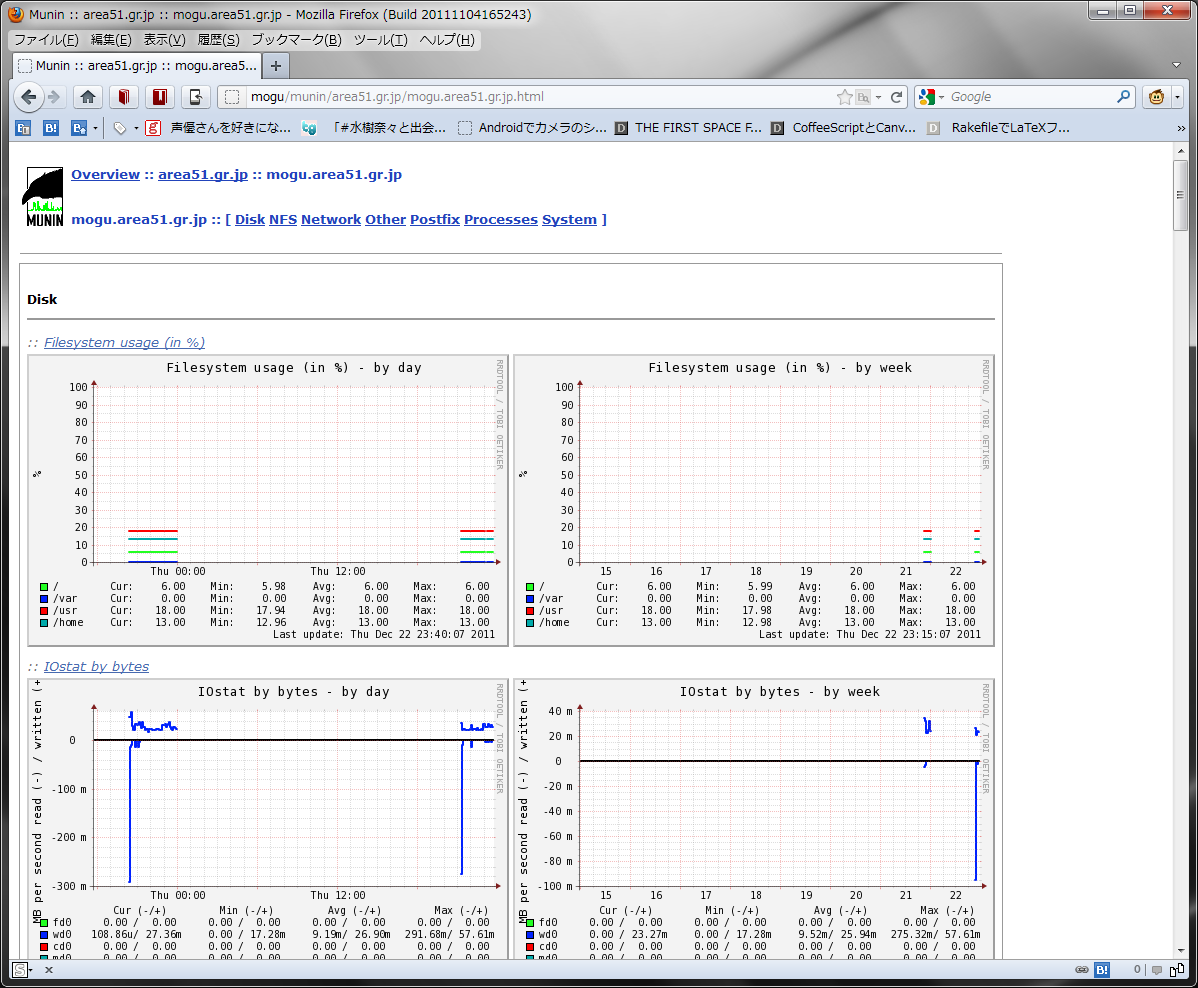
http://example.org/munin/ にアクセスする。
こんな
2012-12-22 :-)
_ age++
35歳になった。
会社の 2013 年の抱負に「戦って死ね」( 劇場版「スプリガン」のキャッチコピーである )と書いた。
冗談でなく、35 歳といえば「定年説」が有名だが( プログラマ定年説 )、本当に定年説があるのか、信ぴょう性はあるのか、とかそれはそれとして、だ。
先日昼休みに上司と駄弁っているときに「定年後にどうやって飯を食べるかか、商売するのかと想像するといい。若いうちからそういったことを練習しておかねばならない」などという話題になったこともあるし、会社からは当たり前だから金を稼ぐことを期待されている。会社から期待されているから金儲けのことを考える、というわけではないけど、その期待にすら応えられないののは会社に勤める人間としてはよろしくない。といったことを 20 歳くらいのころからちゃんと考えて行動していればよかったんだけど、とくに深く考えてませんでした。ともあれ、ておくれだけど
- 社会人として金を稼げなくてはならない
という意味で社会人として当たり前のことができなくてはならないので精進します。
_ スプリガン懐かしい

2013-12-22 :-)


_ サーバー経年劣化
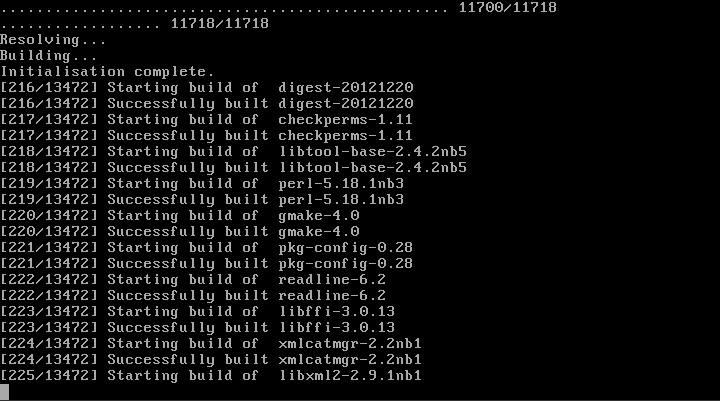
昨日の BSD BoF でサーバーの経年劣化云々といった話題があったんだがところでおうちのサーバー Express5800/GT110b は買ってから 3 年経過していたようだ[ 20101106#p02 ]

2014-12-22 :-(
_ 午後
1300 労働
_ [RTOS][μiTRON][TOPPERS/ASP][H3]TOPPERS/ASP のサンプルを動作させてみた
参考
環境
- Microsoft Windows7 64bit
- VMware Player
- NetBSD 6.1.5 i386
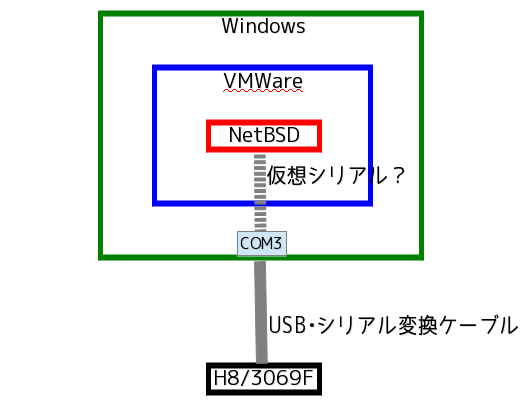
ようするに Windows 上の VMware Player のゲスト OS が NetBSD である[ 20120629#p07 ]。なお USB 変換ケーブルを接続した箇所を変えたためか、COM は 3 ではなく 5 になっていたので VMware の vmx ファイルを変更しておくべし。
serial0.present = "TRUE"
serial0.fileName = "COM5"
コンフィギュレータの構築
手順は doc/user.txt の通りではある。予め /usr/pkgsrc/meta-pkgs/boost をインストールしておくこと。
% cd cfg
% ./configure --with-headers=/usr/pkg/include --with-libraries=/usr/pkg/lib
make すると怒られるのでいろいろ変更。
% gmake

 :

c++  -O2   -I/usr/pkg/include -I../.. -c static_api.cpp
ar rcs libitronx.a cfg1_out.o checker.o component.o factory.o preprocess.o static_api.o
make BOOST_DIR="/usr/pkg/include" LIBBOOST_SUFFIX="" CXXFLAGS="-O2 " -C cfg
make: "/home/rin/work/OS/asp/cfg/cfg/Makefile" line 20: Missing dependency operator
make: "/home/rin/work/OS/asp/cfg/cfg/Makefile" line 22: Need an operator
make: "/home/rin/work/OS/asp/cfg/cfg/Makefile" line 24: Need an operator
make: Fatal errors encountered -- cannot continue
make: stopped in /home/rin/work/OS/asp/cfg/cfg
gmake: *** [cfg] エラー 1
$OSTYPE は定義されている。しかし文法としてエラーになっている。わけわからん
% echo $OSTYPE
netbsdelf
msys じゃないし、コメントアウトして回避。
#ifeq ($(OSTYPE), msys)
#	BOOST_LIBFILES = /mingw/lib/libboost_system-mgw-mt-s.lib /mingw/lib/libboost_filesystem-mgw-mt-s.lib /mingw/lib/libboost_program_options-mgw-mt-s.lib
#else
#	BOOST_LIBFILES := $(BOOST_LIBFILES) -lboost_system$(LIBBOOST_SUFFIX) -lboost_filesystem$(LIBBOOST_SUFFIX) -lboost_program_options$(LIBBOOST_SUFFIX)
#endif

BOOST_LIBFILES := $(BOOST_LIBFILES) -lboost_system$(LIBBOOST_SUFFIX) -lboost_filesystem$(LIBBOOST_SUFFIX) -lboost_program_options$(LIBBOOST_SUFFIX)
ok
% gmake
サンプルプログラムの構築と実行
% cd asp
% mkdir OBJ
% cd OBJ
% perl ../configure -T akih8_3069f_gcc
Use of "do" to call subroutines is deprecated at ../configure line 77.
Use of "do" to call subroutines is deprecated at ../configure line 101.
Use of "do" to call subroutines is deprecated at ../configure line 169.
Use of "do" to call subroutines is deprecated at ../configure line 175.
Use of "do" to call subroutines is deprecated at ../configure line 182.
Use of "do" to call subroutines is deprecated at ../configure line 188.
Use of "do" to call subroutines is deprecated at ../configure line 212.
Use of "do" to call subroutines is deprecated at ../configure line 247.
Use of "do" to call subroutines is deprecated at ../configure line 263.
Use of "do" to call subroutines is deprecated at ../configure line 264.
Use of "do" to call subroutines is deprecated at ../configure line 265.
Use of "do" to call subroutines is deprecated at ../configure line 266.
Use of "do" to call subroutines is deprecated at ../configure line 267.
Can't locate getopt.pl in @INC (@INC contains: /home/rin/usr/local/lib/perl /usr/pkg/lib/perl5/site_perl/5.18.0/i386-netbsd-thread-multi /usr/pkg/lib/perl5/site_perl/5.18.0 /usr/pkg/lib/perl5/vendor_perl/5.18.0/i386-netbsd-thread-multi /usr/pkg/lib/perl5/vendor_perl/5.18.0 /usr/pkg/lib/perl5/5.18.0/i386-netbsd-thread-multi /usr/pkg/lib/perl5/5.18.0 .) at ../configure line 43.
getopt.pl はレガシーなので configure を変更( perl5120delta - perl v5.12.0 での変更点 - perldoc.jp Getopt::Std - perldoc.perl.org )
#require "getopt.pl";
use Getopt::Std;
#do Getopt("TAaULDltmdpg");
getopt("TAaULDltmdpg");
再度。ok
% perl ../configure -T akih8_3069f_gcc
さて、make すると怒られるのでいろいろ変更。
% gmake depend
if ! [ -f Makefile.depend ]; then \
        rm -f kernel_cfg.timestamp kernel_cfg.c kernel_cfg.h ; \
        rm -f cfg1_out.c cfg1_out.o cfg1_out cfg1_out.syms cfg1_out.srec; \
        rm -f makeoffset.s offset.h; \
fi
rm -f Makefile.depend
../cfg/cfg/cfg --pass 1 --kernel asp -I. -I../include -I../arch -I..  -I../target/akih8_3069f_gcc --api-table ../kernel/kernel_api.csv --cfg1-def-table ../kernel/kernel_def.csv  --cfg1-def-table ../arch/h8300h_gcc/core_def.csv sample1.cfg
Shared object "libboost_system.so.1.57.0" not found
gmake: *** [cfg1_out.c] エラー 1
boost ライブラリの位置を指定することにした。さっき configure 時に指定したのはなんなの....
% LD_LIBRARY_PATH=$LD_LIBRARY_PATH:/usr/pkg/lib; gmake depend
if ! [ -f Makefile.depend ]; then \
        rm -f kernel_cfg.timestamp kernel_cfg.c kernel_cfg.h ; \
        rm -f cfg1_out.c cfg1_out.o cfg1_out cfg1_out.syms cfg1_out.srec; \
        rm -f makeoffset.s offset.h; \
fi
rm -f Makefile.depend
../cfg/cfg/cfg --pass 1 --kernel asp -I. -I../include -I../arch -I..  -I../target/akih8_3069f_gcc --api-table ../kernel/kernel_api.csv --cfg1-def-table ../kernel/kernel_def.csv  --cfg1-def-table ../arch/h8300h_gcc/core_def.csv sample1.cfg
h8300-hms-gcc -c  -D__H8_3069F__ -mh -mint32 -mrelax  -g -Wall -O2  -DTNCT_MONITOR -I. -I../include -I../arch -I..  -I../target/akih8_3069f_gcc   -DALLFUNC  -I../kernel cfg1_out.c
h8300-hms-gcc -c  -D__H8_3069F__ -mh -mint32 -mrelax  -g -Wall -O2  -DTNCT_MONITOR -I. -I../include -I../arch -I..  -I../target/akih8_3069f_gcc -DALLFUNC  -I../kernel ../arch/h8300h_gcc/start.S
h8300-hms-gcc  -D__H8_3069F__ -mh -mint32 -mrelax  -g -Wall -O2  -DTNCT_MONITOR -I. -I../include -I../arch -I..  -I../target/akih8_3069f_gcc -nostdlib  -T ../target/akih8_3069f_gcc/debug.ld  -o cfg1_out \
                                         cfg1_out.o
h8300-hms-nm -C cfg1_out > cfg1_out.syms
h8300-hms-objcopy -O srec -S cfg1_out cfg1_out.srec
../cfg/cfg/cfg --pass 2 --kernel asp -I. -I../include -I../arch -I..  -I../target/akih8_3069f_gcc \
                        -T ../target/akih8_3069f_gcc/target.tf --api-table ../kernel/kernel_api.csv --cfg1-def-table ../kernel/kernel_def.csv  --cfg1-def-table ../arch/h8300h_gcc/core_def.csv sample1.cfg
touch kernel_cfg.timestamp
../cfg/cfg/cfg --pass 3 --kernel asp -I. -I../include -I../arch -I..  -I../target/akih8_3069f_gcc \
                        --rom-image cfg1_out.srec --symbol-table cfg1_out.syms \
                        -T ../arch/h8300h_gcc/core_offset.tf --api-table ../kernel/kernel_api.csv --cfg1-def-table ../kernel/kernel_def.csv  --cfg1-def-table ../arch/h8300h_gcc/core_def.csv sample1.cfg
check complete
Generating Makefile.depend.
sh: ../utils/makedep: not found
gmake: *** [cfg1_out.d] エラー 127
次のエラー。
utils/makedep のシェバングを変更
#! /usr/pkg/bin/perl
あと getopt.pl を使ってる箇所があるので変更
#require "getopt.pl";
use Getopt::Std;
#do Getopt("TAaULDltmdpg");
getopt("TAaULDltmdpg");
再度 make depend 。ok
% LD_LIBRARY_PATH=$LD_LIBRARY_PATH:/usr/pkg/lib; gmake depend
そして make depend
% LD_LIBRARY_PATH=$LD_LIBRARY_PATH:/usr/pkg/lib; gmake
生成されるのは asp というファイルである。
#
#  オブジェクトファイル名の定義
#
OBJNAME = asp
ifdef OBJEXT
  OBJFILE = $(OBJNAME).$(OBJEXT)
  CFG1_OUT = cfg1_out.$(OBJEXT)
else
  OBJFILE = $(OBJNAME)
  CFG1_OUT = cfg1_out
endif
はずなんだが。。。
asp.srec らしい。ふむ
% file asp.srec
asp.srec: Motorola S-Record; binary data in text format
簡易モニタを書き込む
失敗した。
mogu# kz_h8write -3069 -f20 mon3069.mot /dev/tty00
=================================================
 H8/3069F Flash Writer for KOZOS (Version 0.2.1)
 Copyright(C) 2011-2012 Shinichiro Nakamura
=================================================
Bitrate sequence failed. (code=0x04)
うーん?
試しに kz_h8write (H8/3069F writer for KOZOS (kz_h8write)) 付属の example を焼いてみる。成功した。うーん?
% cd kz_h8write-v0.2.1/PackageFiles/example
% sudo kz_h8write -3069 -f20 kzload.mot /dev/tty00
=================================================
 H8/3069F Flash Writer for KOZOS (Version 0.2.1)
 Copyright(C) 2011-2012 Shinichiro Nakamura
=================================================
Bitrate sequence: Done.
Inquiry device: Done.
Select device: Done.
Inquiry clock mode: Done.
Select clock mode: Done.
Select bitrate: Done.
Waiting for erase done:...
Programming:......................
Program: Done.
Complete.
じゃあさっきエラーになった箇所を追ってみる。メッセージからするとこの関数で失敗している。
kz_h8write.c
    /*
     * ビットレート合わせ込みのシーケンスを実行する。
     *
     * ビットレート合わせ込みシーケンスに初回時失敗する事がある。
     * マイコンの電源投入時やシリアルケーブル接続時に
     * プロセッサのUARTポートに意図しない信号が入る事が考えられる。
     *
     * そこで、本プログラムでは数回の試行を行うことにした。
     * これはユーザがかけている手間をプログラムが代行する事を意味する。
     */
    for (int i = 0; i < 2; i++) {
        ec = bitrate_sequence(serial);
        if (ec == NoError) {
            break;
        } else {
            /*
             * デバッグ用出力。
             *
             * ビットレートシーケンスは初回に失敗する可能性がある。
             * これに対してエラーを表示してしまうとユーザが混乱する。
             * よってデバッグ用出力としての位置づけにしておく。
             * リトライした結果として成功した事を知りたい時にのみ
             * 表示を有効にすると良い。
             */
            if (USER_OPTION_DEBUG(&user_option)) {
                fprintf(stderr, "Bitrate sequence failed.\n");
            }
        }
    }
    if (ec != NoError) {
        fprintf(stderr, "Bitrate sequence failed. (code=0x%02x)\n", (int)ec);
        PROGEXIT(1);
    }
bitrate_sequence() はこれ。しかし何が返ってるのか分からん。
/**
 * @brief ビットレート合わせ込みのシーケンスを実行する。
 *
 * @details
 * ビットレートの合わせ込みは以下のシーケンスで行う。
 * 1. 0x00を最大30回送信する。
 * 2. 合わせ込みが完了すると0x00が返る。
 * 3. この時点で0x55を送信する。
 * 4. レスポンスコードが返る。
 *    成功:0xE6
 *    失敗:0xFF
 *
 * @param serial シリアルハンドラ。
 *
 * @return エラーコード。
 */
enum ErrorCode bitrate_sequence(SERIAL *serial)
{
    unsigned char sc, rc;
    int i;
    for (i = 0; i < 30; i++) {
        /*
         * ビットレート計測用マーカを送信する。
         */
        sc = 0x00;
        if (serial_write(serial, &sc, 1) != 0) {
            return SerialWriteError;
        }
        /*
         * 何かを受信したらコードを確認する。
         * コードが正しければ応答を行い、そのレスポンスを検証する。
         */
        if (serial_read_with_timeout(serial, &rc, 1, SERIAL_TIMEOUT_MS) == 0) {
            if (rc != 0x00) {
                /*
                 * 最初の応答は0x00のはず。
                 */
                return InvalidPrimaryResponseCode;
            }
            sc = 0x55;
            if (serial_write(serial, &sc, 1) != 0) {
                return SerialWriteError;
            }
            if (serial_read_with_timeout(serial, &rc, 1, SERIAL_TIMEOUT_MS) != 0) {
                /*
                 * 0x55に対する応答があるはず。
                 */
                return NoSecondaryResponseCode;
            }
            if (rc == 0xe6) {
                return NoError;
            } else {
                /*
                 * 2回目の応答は0xe6のはず。
                 */
                return InvalidSecondaryResponseCode;
            }
        }
    }
    /*
     * レスポンスが全くない。
     */
    return NoPrimaryResponseCode;
}
SerialWriteError 等を grep してみるとこの enum に到達。NoPrimaryResponseCode を返していた。うーん? 電源は入ってるしなあ...
/**
 * @brief エラーコード。
 */
enum ErrorCode {
    NoError = 0,
    SerialOpenError,
    SerialWriteError,
    InvalidPrimaryResponseCode,
    NoPrimaryResponseCode,           <==== これ
    InvalidSecondaryResponseCode,
    NoSecondaryResponseCode,
    UnsupportedDevice,
    UnmatchedDeviceCode,
    UnsupportedClockMode,
    UnmatchedClockMode,
    InvalidBitrate,
    WriteEraseFail,
};
もう一回やってみる。成功した。えー
% cd h8mon/mon3069
% sudo kz_h8write -3069 -f20 mon3069.mot  /dev/tty00
=================================================
 H8/3069F Flash Writer for KOZOS (Version 0.2.1)
 Copyright(C) 2011-2012 Shinichiro Nakamura
=================================================
Bitrate sequence: Done.
Inquiry device: Done.
Select device: Done.
Inquiry clock mode: Done.
Select clock mode: Done.
Select bitrate: Done.
Waiting for erase done:....
Programming:................................................................
Program: Done.
Complete.
サンプルプログラムを書き込む
ビルドしたサンプルのディレクトリへ移動。
% cd asp/OBJ
接続。
% sudo cu -s 38400 -l /dev/tty00
Connected
基板のリセットを押す。ok
1:H8/3069F Monitor v1.12 Copyright (C) 1999-2004 CSE Tomakomai NCT
ロードさせる
1:ld
~>Local file name?asp.srec
go する。何か起動した
1:go

TOPPERS/ASP Kernel Release 1.7.0 for AKI-H8/3069F (Dec 21 2014, 19:47:12)
Copyright (C) 2000-2003 by Embedded and Real-Time Systems Laboratory
                            Toyohashi Univ. of Technology, JAPAN
Copyright (C) 2004-2011 by Embedded and Real-Time Systems Laboratory
            Graduate School of Information Science, Nagoya Univ., JAPAN
Copyright (C) 2001-2010 by Industrial Technology Institute,
                            Miyagi Prefectural Government, JAPAN
Copyright (C) 2001-2004 by Dep. of Computer Science and Engineering
                 Tomakomai National College of Technology, JAPAN
Copyright (C) 2008 by GELJET Designing Center RICOH COMPANY,LTD.

System logging task is started on port 1.
Sample program starts (exinf = 0).
task1 is running (001).   |
task1 is running (002).   |
task1 is running (003).   |
task1 is running (004).   |
task1 is running (005).   |
task1 is running (006).   |
task1 is running (007).   |
task1 is running (008).   |
task1 is running (009).   |
task1 is running (010).   |
task1 is running (011).   |
task1 is running (012).   |
task1 is running (013).   |
task1 is running (014).   |
task1 is running (015).   |
task1 is running (016).   |
task1 is running (017).   |
-- buffered messages --             Ctrl-C 叩いた
Sample program ends.
2015-12-22 :-(
_ ,
, , , ,,,,
2016-12-22 :-(
_ 労について
割りと大規模にフロアを引っ越すため荷物を梱包などしました。階が変わってしまうので今までお世話になったお客さんに挨拶などしてきました。

2017-12-22 :-)
_ this->age++;
40
_ 一身上の都合により自動化とかインフラまわりのことについてググるなどしている生活をしてはやn年
0.001年くらい。
いわゆる「開発基盤」等は縁がなかったので視界に入ってくるけど「そういうものがあるのか」くらいに流してたんだけど、メルカリのテックブログ( Mercari Engineering Blog を眺めるなどしていると自分の知識が 10 年くらい前で止まってるので浦島太郎です。
2018-12-22 :-)
_ self._age++
41
_ [ポッピンQ]ポッピンQ クラウドファンディングの話題が流れてきた
わしの誕生日にとんでもないニュースが飛び込んできた。ファンとして全力を尽くす所存です。
【告知】
— 【公式】ポッピンQ@BD/DVD発売中 (@POPIN_Q_staff) 2018年12月22日
『ポッピンQ』クラウドファンディング企画進行中!!
キッズステーションでの放送をご覧になった皆様、ポッピンQファンの皆様
公開2周年ありがとうございます。
皆さま引き続き応援よろしくお願い致します!
続報お待ちください#ポッピンQ

2019-12-22 :-)
_ this->age++;
はい。
_ ,
0930 起床
_ [アイカツオンパレード]アイカツオンパレードを見ました
平川大輔と平川大輔でした。

キセキラキがまき割りダイナミックを決めてました。
アイカツ恒例行事gif #aikatsu #アイカツオンパレード pic.twitter.com/G9rgn8g3y8
— ころう (@kuresome) December 21, 2019
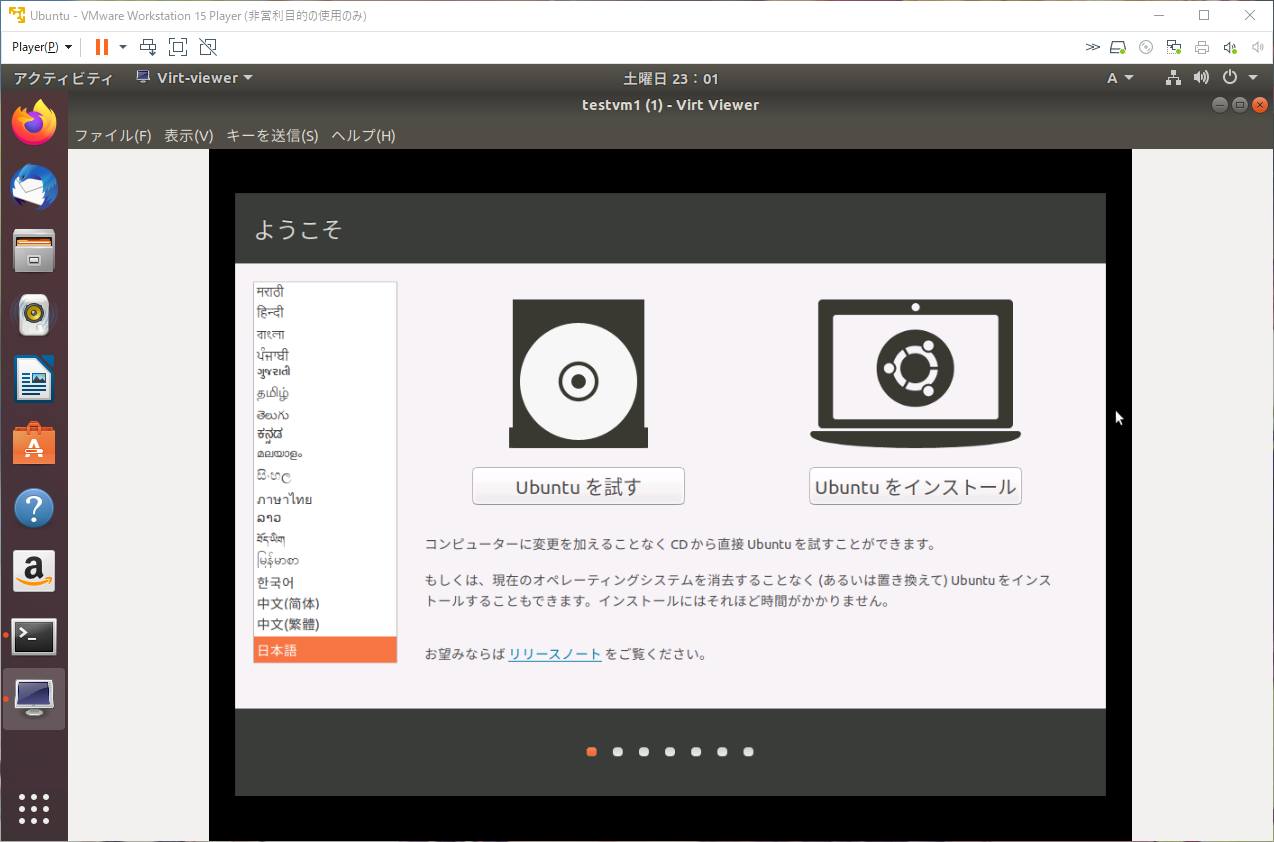
_ Windows 上の VMware Player 上の Ubuntu 上で KVM を実行
したんだが、これ以降処理が返ってこない。qemu が高負荷で走ってるから処理は続いてるんだろうけど。
rin@ubuntu:~$ top -n1

top - 13:37:29 up  2:00,  1 user,  load average: 1.07, 1.06, 1.06
Tasks: 353 total,   1 running, 275 sleeping,   0 stopped,   0 zombie
%Cpu(s): 11.8 us, 12.1 sy,  0.0 ni, 75.7 id,  0.2 wa,  0.0 hi,  0.1 si,  0.0 st
KiB Mem :  2013364 total,    71044 free,  1394996 used,   547324 buff/cache
KiB Swap:  2097148 total,  1207292 free,   889856 used.   449328 avail Mem

   PID USER      PR  NI    VIRT    RES    SHR S  %CPU %MEM     TIME+ COMMAND
  3392 libvirt+  20   0 1197080 521152   3044 S 100.0 25.9 115:42.41 qemu-system-x86
  1774 rin       20   0 3976764 181760  37392 S   6.2  9.0   0:21.45 gnome-shell
  3700 rin       20   0   52496   3996   3148 R   6.2  0.2   0:00.01 top
     1 root      20   0  225760   5040   3128 S   0.0  0.3   0:02.74 systemd
     2 root      20   0       0      0      0 S   0.0  0.0   0:00.01 kthreadd
     3 root       0 -20       0      0      0 I   0.0  0.0   0:00.00 rcu_gp
     4 root       0 -20       0      0      0 I   0.0  0.0   0:00.00 rcu_par_gp
     6 root       0 -20       0      0      0 I   0.0  0.0   0:00.00 kworker/0:0H
     8 root       0 -20       0      0      0 I   0.0  0.0   0:00.00 mm_percpu_wq
     9 root      20   0       0      0      0 S   0.0  0.0   0:00.03 ksoftirqd/0
    10 root      20   0       0      0      0 I   0.0  0.0   0:00.88 rcu_sched
    11 root      rt   0       0      0      0 S   0.0  0.0   0:00.01 migration/0
    12 root     -51   0       0      0      0 S   0.0  0.0   0:00.00 idle_inject/0
    14 root      20   0       0      0      0 S   0.0  0.0   0:00.00 cpuhp/0
    15 root      20   0       0      0      0 S   0.0  0.0   0:00.00 cpuhp/1
    16 root     -51   0       0      0      0 S   0.0  0.0   0:00.00 idle_inject/1
    17 root      rt   0       0      0      0 S   0.0  0.0   0:00.01 migration/1
    18 root      20   0       0      0      0 S   0.0  0.0   0:00.04 ksoftirqd/1
    20 root       0 -20       0      0      0 I   0.0  0.0   0:00.00 kworker/1:0H-kb
    21 root      20   0       0      0      0 S   0.0  0.0   0:00.00 cpuhp/2
    22 root     -51   0       0      0      0 S   0.0  0.0   0:00.00 idle_inject/2
_ [UEFI][ベアメタルプログラミング]フルスクラッチで作る!UEFIベアメタルプログラミング 第4章 マウス入力を取得する
できぬ。というか返ってこない。printf しかやり方分からないので printf を仕込んだら WaitForEvent から返ってこないらしい。しかしどうやってデバッグすればいいのか。
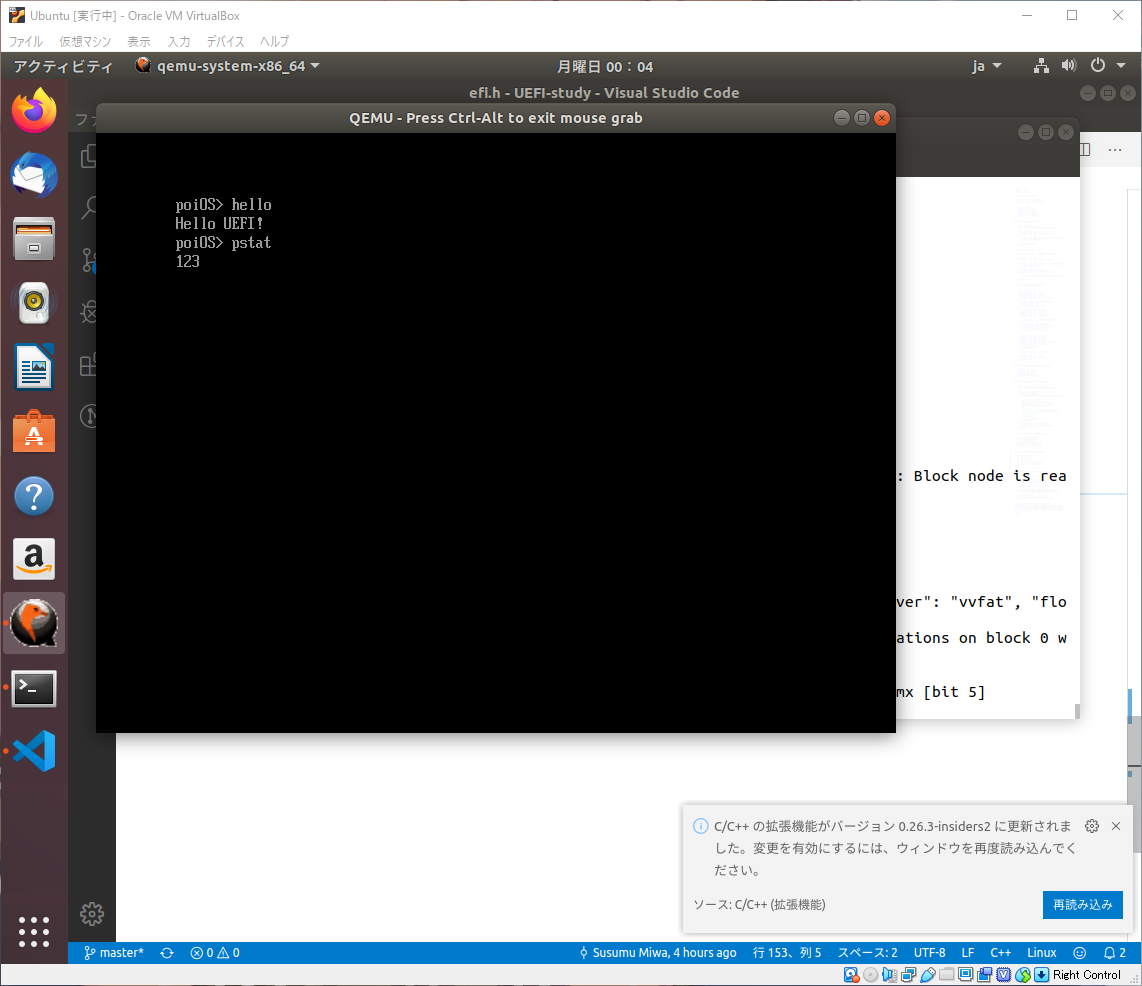
void pstat(void)
{
  unsigned long long status;
  struct EFI_SIMPLE_POINTER_STATE s;
  unsigned long long waitidx;

  puts(L"1");
  SPP->Reset(SPP, FALSE);
  puts(L"2");

  while(1)
  {
    puts(L"3");
    ST->BootServices->WaitForEvent(1, &(SPP->WaitForInput),&waitidx);
    puts(L"4");
    status = SPP->GetState(SPP, &s);
    puts(L"5");
    if(!status)
    {
      puts(L"hoge");
      // puth(s.RelativeMovementX, 8);
      // puts(L" ");
      // puth(s.RelativeMovementY, 8);
      // puts(L" ");
      // puth(s.RelativeMovementZ, 8);
      // puts(L" ");
      // puth(s.LeftButton, 1);
      // puts(L" ");
      // puth(s.RightButton, 1);
      puts(L"\r\n");
    }
  }
}
2020-12-22 :-|
_ self._age += 1
今後 1 年間もがんばるぞい
_ 日誌
0620 起床
0920 出勤
1820 退勤
2010 カレー機関。クリスマスコース。きーちゃん、阿賀野、鹿島でした。甘酒が温かいのでひたすら甘酒を飲んでました。換気のために窓が開いてるので若干寒いです。
艦これ E4-3 装甲破砕ギミック Kマス解除
結目ユイ配信。今日のイベント↓についての雑談。
結目ユイの渋谷タワレコイベント行ってません。コラボドリンクは 12/28 から提供開始。
☕ - - -【お知らせ】- - - ☕️
— 結目ユイ🍸2周年❁⃘*.゚ (@musubimeyui) December 16, 2020
TOWER RECORDS CAFE 渋谷店にて
SPECIAL 1dayイベント開催決定‼️✨
☞12月22日(火) 20:10~20:40☜
等身大パネルに結目ユイコラボドリンクもあるのでお楽しみに\(*ˊᗜˋ*)/💖
🎟詳細はこちら▼
《https://t.co/TV1m1vovG7》 pic.twitter.com/oScY2bo8I5
2021-12-22 :-)
_ age++
年齢を重ねました。
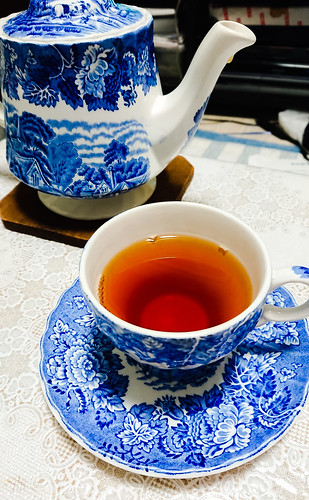
母が亡くなってから悲嘆の日々を過ごしているのでそれどころじゃないんだが自分の事象くらいは祝ってやらないといかんなあと考えて少し良い物を食べたりケーキを食べたりしました。


2022-12-22 :-)
_ self.__age += 1
はい。
_ 日誌
朝。寒いような寒くないような。若干気温は高いらしい。
冬至なので八百屋でゆずとかぼちゃを買う。
花染なぎささんが最近ツイッターを更新してないなーと思ったがオレが見逃してただけだった。ブログを書いてるようなので RSS フィードを購読した Blog | 花染なぎさの創作ピアノカフェ•カンタービレ │ Nagisa Cantabile カードキャプターさくらの話題もあったりする。
ルタオのケーキ


水瀬しあ配信。ゼルダの伝説 時のオカリナをクリア。
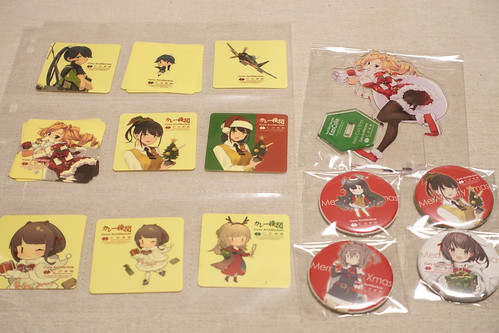
_ カレー機関 20th クリスマス
誕生日に当選してたすかる。隣の提督達と埼玉鎮守府の話をするなど。フルコースは量が少ないのでサイドメニューをたくさん注文したら腹一杯になった。
春雨さん → 鹿島さん
鹿島さんに誕生日を申告したらハッピーバースデートゥーユーを歌ってくれた。最後に回転したりしません(何)
シールは旧シールが多い。





_ okubo [遅ればせながらおめー]
_ みわ [とー。アタシがこうして生きていられるのもみなさんのおかげです。感謝感謝]
_ さいき [Happy Birthday!! みわれん(一日遅れ)。まだ26歳と考えませう。]
_ のぶ [遅ればせながら、たんじょびおめ〜 …「ひとつひとつが別々の袋に」って、7個口?(^^;]
_ みわ [そです。7 個です。サービス満点の amazon さん]