2002-03-08
_ 場所
神奈川
_ タブブラウザ
Opera, Moonb, Janus, Mozilla,GLU を試しました。Moonb が使い勝手が一番良いので常用タブブラウザを Moonb にしたいところですが、IE 部品を使ってるということで却下。Gecko なやつは Janus と GLU 。Janus はもうちょいということで GLU を使うことにしました。もちろん Netscape 4, Netscap 6, Mozilla のブックマークの共有もできます。
ただ、Netscsape 6, Mozilla のブックマークを使うときは --- GLU パッケージ付属の文書に書いてあるんですが --- GLU 付属のツールを使う必要があります。Netscape 6.x, Mozilla の bookmarks.html は UTF-8 なんですが、GLU が UTF-8 を扱えないのでツールを使って UTF-8 → Shift-JIS に変換する必要があるそうです。
GLU が使っているブックマークは ( GLU の実装では「しおり」) はようするに Shift-JIS なんだけど、そのファイルはそのまま Mozilla のブックマークにインポートできます。すばらしい。当面は GLU 使おう。なんかブラウザが沢山ある。
Mozilla/5.0 (Windows; U; Win98; en-US; rv:0.9.8) Gecko/20020204 GLU/0.0.13
2003-03-08
_ 仕事
ちゃきっと帰り( 1730 )。腹減った。
_ 自転車通勤
久しぶりの自転車通勤なのにさらに強風なのでえらく体力を消耗した。
_ 在庫処分
不要になった CD を処分しようと昨日作業した。夜中だったのでまだ自宅に置いておいた。
母上「 この CD どーすんの? 」
ヲレ「 ああ。捨てるんだ。」
と言いつつも明日か明後日にでも売り飛ばすかなぅきっと 2 蔵くらいにはなるだろうと考えていた。
仕事から帰宅したら無くなっていた。処分してくれちゃったらしい。もたいない。
と思ったら玄関の物置のところ( どこ )に置いてあるらしい。
_ 在庫処分
C MAGAZINE を処分。4 年ぶん。


空いた席に替わりに居座る UNIX MAGAZINE

_ 処分
すべてのあらゆるポスター捨て。丹下桜のラストコンサートのやつとか出て来た。懐かしい。真綾ちゃんとかマリちゃんの雑誌の切抜きやらも捨て。さらに頭上の物( ってなに )をいろいろ捨て。本を置く場所を確保。
2004-03-08
_ 朝
dream()
_ 朝
0730 起床。そんなことしてたら寝坊するところだった。
_ 仕事
0800 会社出。有楽町へ。
_ 仕事
select() は悪くない。
_ 仕事
1800 外注さん作業終了。相原さん(仮名)から余りのセンベイとか貰った。
_ 仕事
2000 退勤。頭うごかん。自分でナニ言ってるか分からなくなってきた。
_ 送迎
というわけで新宿。いつもの所で直子さめと合流。ゃぁゃぁ久しぶり。
ちとしてからたくみ合流。南口のほうのスタバでヨタヨタ。
まあしかし仕事のネタしかないというのもなかなかィャンだな。最近の生活はそんなもんか。
たくみが来週はサイコロの旅するという決議で解散。がんばれよ〜
_ 廃棄
マリちゃんライブとか真綾ライブとかあらゆるいわゆるライブグッズを廃棄処分。だいぶすっきりした。
2005-03-08
_ 仕事
0830 府中。
_ クリティカルチェーン
4478420459
- PRET 図において従属関係がつながっている個所が最多の個所がボトルネック。
- 1 つのリソースに複数プロジェクトが競合している場合は優先順位をつける( 優先度は場合による )。
- 複数プロジェクトを処理する場合は他からの割り込みが入らないように関係者全員で注意する。
- 学生症候群( 期限ぎりぎりまで何もやらない )を回避するために期限は設けない。期間を設ける。
本書にはビジネスっぽい単語が多数登場するけど、最後の「 期限を設けない 」以外はとくに新しい考えじゃないんじゃなかろうか。プロジェクトの進め方、見積もり方などは先日読んだ「 ラピッドデベロップメント 」( 2005-02-22 )にも書いてあった。
2006-03-08 :-(
_ grep とか Visual Studio とか
こんな思考順序で Visual Studio .NET ( 以下 VS.NET )を使おうという試み。
- grep がない
- 秀丸もない
- VS.NET 2003 がある
- じゃあそれ
- 「 ファイル内検索 」
- 正規表現
- 「@」が「*」の拡張のようなことになっている
よけいなことすんなー
( ref. 正規表現メモ )
_ Unix Util の代わりを探してみたらそこそこあったという話題
Microsoft Windows 2000 で Unix の道具たちみたいなものを使いたいぞ、と。
代替はこんな感じか。
grep -Enr => findstr /r/n/s
find -type d => dir /s/r/ad
sort -1r => sort /+1/r
GNU sort の -n オプションと同じ機能のものが無かった。
uniq は無いのだろか。
( ref . Native Win32 ports of some GNU utilities )
_ 仕事
0900 退勤。
北海道出身の方との会話。
- 天然うなぎ高い
- イカは透明なものだ、東京に来て白くなったイカを見て驚いた
- 北海道のバフンウニ
- 寿司のエビはやはりボタンエビがいい
- 甘エビしか知らないんですが( ヲレ )
- 福岡では関サバはむしろ希少、すべて築地に行く
- 東海道線の乗り過ごしの記録は浜松
- 東海道線キケン
- 田園都市線キケン
- 中央線キケン
_ 読売新聞巡回
マカロン
玉川高島屋の広告にもマカロンの紹介があった。
この時期ははマカロン特集?


ref.
宮崎
新宿みやざき館 KONNE の紹介。
新宿駅南口から新宿高島屋に行く途中にあります。

ゴシック
ゴシック文化が流行りなのだそうな。
最近は 畑亜貴さん がゴスロリに目覚めてます。
桜庭一樹 GOSICK は載っていませんでした。
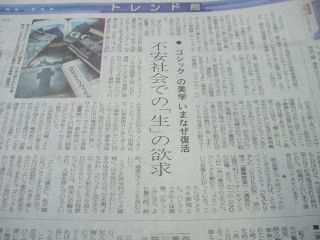
ゴシックは確かに、死や闇に近づこうとする性だが、それは逆説的に「 生きて楽しみたい 」という強烈な欲求でもある。すると、ゴシックを愛する心は、この現代社会において意外と "ポジティブ" かもしれないのである。
_ 100曲モーツァルト
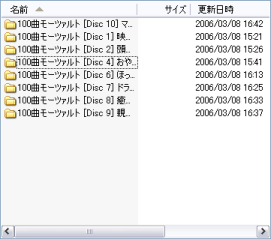
購入してからエンコードすらしてなくて全然聞いてなかったのだけど [2006-02-04]、両親から
父「 聞かないのか 」
母「 売れてるらしいね 」
と催促されたのでエンコードした。
「 ほっ 」
B000A6BH2O
2007-03-08 :-|
_ [Ruby][/usr/bin/env]#!/usr/bin/env ruby を #!/usr/pkg/bin/ruby にしてしまえというソリューション
動作未確認。
% find . -type f | while read f; do
sed -e 's%/usr/bin/env ruby%/usr/pkg/bin/ruby%\g' $f
done

_ [envvars][BSD][継承][Ruby][Linux][httpd][NetBSD][Apache][FreeBSD][環境変数][デーモン][スクリプト]どさにっき - デーモンさんの起こしかた
/usr/bin/env の話題[ 2007-03-03 ]に反応をいただきました。httpd に渡す PATH を制御します。
動作確認のためにこんなスクリプト( printpath.rb )を準備しておきます。環境変数 PATH を表示させます。
#!/usr/pkg/bin/ruby

print <<"EOD"
Content-type: text/html

<!DOCTYPE html PUBLIC "-//W3C//DTD HTML 3.2//EN">
<html>
<title>test</title>
<body>
#{ENV["PATH"]}
<br>
</body>
</html>
EOD
これを public_html 以下に置きます。ログインユーザーで sudo /etc/rc.d/apache start した場合の出力はこう。
/usr/local/sbin:/usr/local/bin:/usr/pkg/bin:/usr/pkg/sbin:/bin:/sbin:/usr/sbin:/usr/bin:/home/rin/usr/local/bin
PATH を制御した場合にちゃんと意図どおりに PATH を設定できてるかを確認します。では始めます。
やまやさんのところより。
# env - PATH=/usr/local/bin:/usr/bin:/bin /etc/init.d/hoge start
env の最初の引き数 - ( ハイフン )はなんでしょう。マニュアルを読みます。
The historic - option has been deprecated but is still supported in this implementation.
将来実装しなくなる予定とのことです。でも - の機能が分かりません。BSD ではないけど参考までに Linux のマニュアルを見てみます。
-, -i, --ignore-environment
継承された環境を無視して、空の環境から始める。
- と -i は同じ意味なようです。
もういちど NetBSD のマニュアルを見てみます。
The option `-i' causes env to completely ignore the environment it inherits.
ということでここでは -i を使うことにします。
ログインユーザーが sudo して起動する場合
rc.d ではなくログインユーザーで起動させるときはこう。
% env -i PATH=/bin:/sbin:/usr/bin:/usr/sbin:/usr/pkg/bin sudo /etc/rc.d/apache start
printpath.rb の出力を確認します。
/bin:/sbin:/usr/bin:/usr/sbin:/usr/pkg/bin
設定したとおりになっていますね。
起動スクリプトを変更する場合
FreeBSD には envvars というのがあるそうです。
NetBSD というか pkgsrc の apachectl にも envvars の記述がありました。
# pick up any necessary environment variables
if test -f /usr/pkg/sbin/envvars; then
  . /usr/pkg/sbin/envvars
fi
/usr/pkg/sbin/envvars の正味の内容はこう。
LD_LIBRARY_PATH="/usr/pkg/lib:$LD_LIBRARY_PATH"
export LD_LIBRARY_PATH
PATH を追加してこのようにしておきます。/home/rin/usr/local/bin を追加しているのは動作確認のためです。printenv.rb の出力に /home/rin/usr/local/bin があれば起動スクリプトの変更は意図どおりといえるでしょう。
LD_LIBRARY_PATH="/usr/pkg/lib:$LD_LIBRARY_PATH"
export LD_LIBRARY_PATH
export PATH="/bin:/sbin:/usr/bin:/usr/sbin:/usr/pkg/bin:/usr/pkg/sbin:/home/rin/usr/local/bin"
ではログインユーザーで httpd を起動して、ちゃんとログインユーザーの PATH ではない PATH が設定されているか確認します。
% sudo /etc/rc.d/apache start
printenv.rb の出力はこう。
/bin:/sbin:/usr/bin:/usr/sbin:/usr/pkg/bin:/usr/pkg/sbin:/home/rin/usr/local/bin
この日記冒頭で書いた printenv.rb の出力と異なります。よってこれは envvars で設定した PATH とみなしてよさそうです。
動作確認したので /usr/pkg/sbin/envvars の PATH から /home/rin/usr/local/bin を削除しておきます。
LD_LIBRARY_PATH="/usr/pkg/lib:$LD_LIBRARY_PATH"
export LD_LIBRARY_PATH
export PATH="/bin:/sbin:/usr/bin:/usr/sbin:/usr/pkg/bin:/usr/pkg/sbin"
まとめ
今回は httpd に環境変数を渡す方法を試しました。環境変数を渡す手段は以下の 2 つあります。
- env -i PATH=... /etc/rc.d/apache start する
- /usr/pkg/sbin/envvars を変更する
どうでもいいけど "NetBSD envvars" を Yahoo! 検索 したら私のところがヒットしました。envvars は apache を入れたときに入るものなんですね。
2008-03-08 :-)

_ [インスタントコーヒー][香味焙煎]買い物
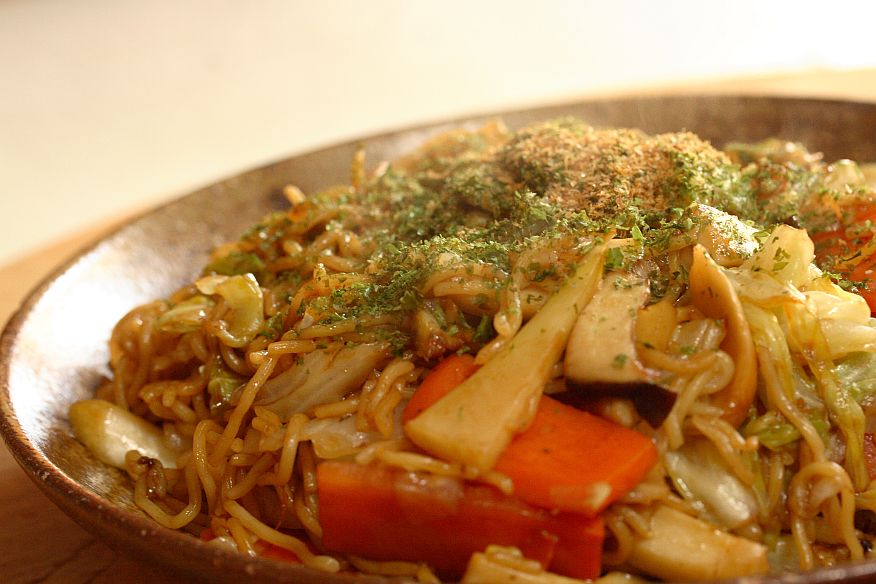
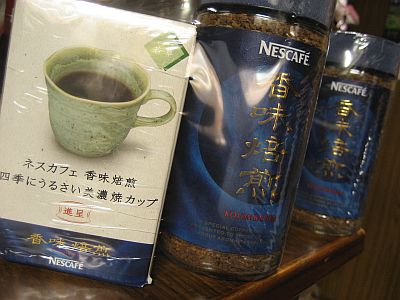
インスタントコーヒー。カップ付きだよ!ということで釣られてみました。せっかくだから 2 つ買いました。このコーヒーを飲んだことが無かったのでちょうどよいいです。
_ [Gauche]gauche.night
この会場はもう行きたくないなあ。
- 音が大きい
- 話し声が聞こえないくらいの音量だった
- この音量には何か意味があるのか?
- 天井の照明の下にプロペラ( なにあれ? )がありその所為で灯りがチラつく
- 目が痛い
- 気持ち悪い
- この設計には何か意味があるのか?
- 座談会のスクリーンが無駄だった
- 計算機からの出力をスクリーンに映してた
- ステージの様子を映してくれ
- ステージの後ろにあるスクリーンには映してた
- そこに映して何か意味があるのか?
といったことを会場のアンケートに書いておきました。
第1部: 座談会「R6RSを斬る」
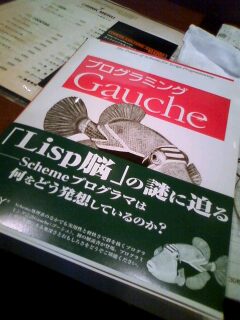
- プログラミング Gauche
- 7 章が Lisp 脳
- 本文と本文の間のコラムは本文の一部
- 署名入りのコラムは著者の独断と偏見
- おくづきをミス
- Scheme と Lisp でも飯を食える(川合)
- Gauche ソースコード完全解説欲しい(笹田)
- 7 つのプリミティブがあればプログラミング言語は実装できる
- Arc はまだ発展途上
- R6RS
- 「Scheme を名乗るな」等かなり盛り上がってたけどアルゴリズムとかオペレーショナルとかさっぱり分かりませんでした
- ポータブル重要
- スクリプト系でポータブルを無視したものがある
- そーいう奴にエンジニアリングを語って欲しくない
- バージョンが 0.1 違うだけで全然挙動が違う言語とか( ← Ruby のこと )
- すいません(笹田)
- 爆笑した
- eval は「えばーる」と読んでた
- 「いーばる」だと思ってた
- evaluate「いばるえいと」か( ref. e・val・u・ate - goo 辞書 )
第2部: デモ大会「gauche.gong」
ライトニングトークス。
- デモがあるなら最初に実演したほうが時間切れしなくて済む
- LT 5 分の時間はプレゼンの時間だけを計測してた
- 交代は時間に入らないようだ
- 交代するときにスクリーンに映らなかったりいくつかトラブルがあった
- リハーサルしてないのか?
- オブラブ2006夏[ 20070620#p02 ]の LT では全くトラブルがなかったのは凄かったんだな
- リハーサルしてたし
- 当時のオブラブLTスタッフは m_pixy さんか。m_pixy++
- 「Gaucheで作るPIC電子工作」がすごかった。
会場でプログラミング Gauche を先行販売してたので買いました。
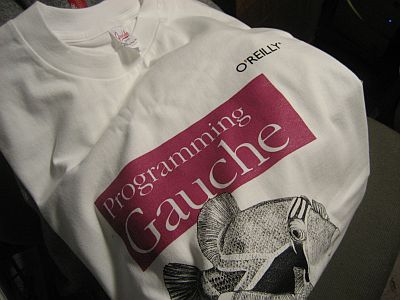
あとトレーナーを貰いました。
4873113482
2009-03-08 :-)
_ アステカ文明
ワクテカ文明



_ AsiaBSDCon 2009
いまさらながら申し込んだ。
_ [リッジレーサー7]リッジレーサー7
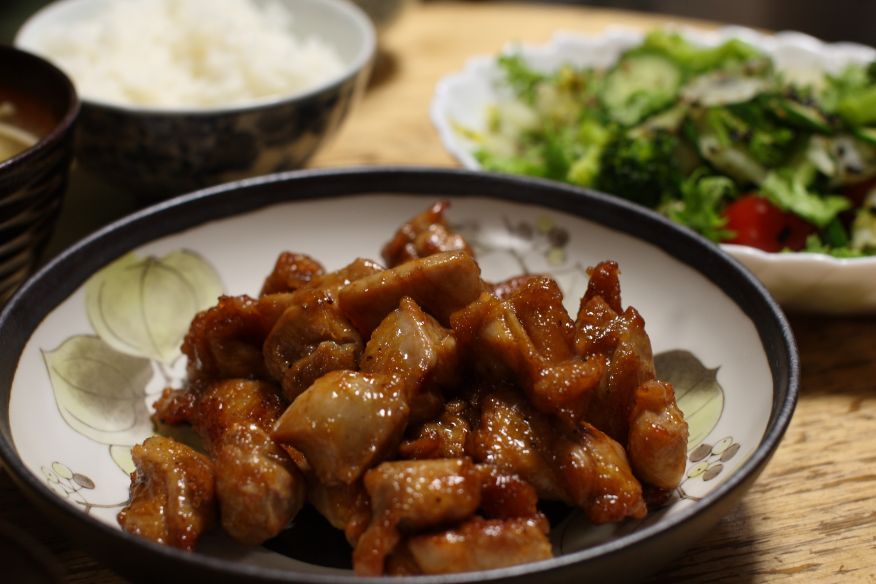
ひたすらタイムアタックをする。だいたいのコースで 400位から 600位に位置している。
- 走行距離 10104.986 km
- RSGP 進行度 100.0 %
- 名声 17953 FP
_ [おやつ][ピーナッツバタークッキー]おやつ
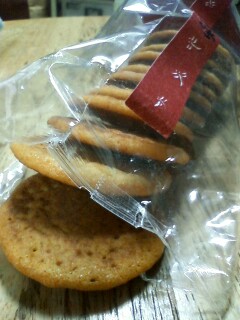
ピーナッツバタークッキー(ref. シンプルなお菓子 p.30)。cerbe 邸でペアスイーツしたんだが[ 20090104#p07 ]それ以降はショートケーキの練習とかチョコレートの練習などに現を抜かしてしまいまったく復習していなかったので今日やった。クッキーのレトロスペクティブ。

_ とらドラ(アニメのほう)がじつに楽しい
先日 と ら ド ラ は な ぜ 失 敗 し た の か の99( ネタバレ )を読んでしまいそれ以来とらドラ(アニメ)を見るのが楽しくて仕方がない。この感覚は学生のころに友人から「小説版ガンダムだとアムロは死ぬんだよ」( ネタバレ反転 )と聞いてから小説版ガンダムを読み進めていたときの感覚に似ている。
4044101019
4044101027
4044101035
2010-03-08 :-)
_ 朝ッ
0530 起床
_ 仕事
0830 出勤
_ 財務対策として【禁則事項です】を【禁則事項です】する、という通達を貰った
ところで毎月 2 万円を節約するためには何を節約すればよいだろうか。3zai.com で支出を計測しているのですぐに分かる。過去半年の支出を見てみよう。みわさんの2010年3月の支出分析 によると以下のようになっている。外食費、または趣味・娯楽費( ライブチケットなど )を節約すればよいことがわかる。
| 費目 | 200910 | 200911 | 200912 | 201001 | 201002 | 201003 |
| 食品費 | 8566 | 1830 | 9273 | 18350 | 2558 | 100 |
| 外食費 | 20594 | 6044 | 20160 | 46990 | 4500 | 4000 |
| 趣味・娯楽費 | 14380 | 26060 | 22440 | 12670 | 40000 | 0 |
| 交通費 | 10500 | 7500 | 7500 | 91840 | 13300 | 2500 |
| 本・雑誌費 | 2148 | 750 | 10905 | 8210 | 3470 | 4800 |
| ファッション費 | 0 | 4725 | 0 | 4725 | 0 | 0 |
| 生活用品費 | 0 | 34180 | 600 | 0 | 0 | 0 |
| 光熱費 | 0 | 0 | 0 | 0 | 0 | 0 |
| 通信費 | 7198 | 7198 | 7198 | 7198 | 7198 | 0 |
| 住居費 | 30000 | 30000 | 30000 | 30000 | 30000 | 0 |
| その他雑費 | 710 | 10000 | 0 | 5340 | 18995 | 0 |
| 合計 | 94096 | 128287 | 108076 | 225323 | 120021 | 11400 |
_ [リッジレーサー7]リッジレーサー7 Lost Ruins R の TA で knghtymh さんと B2 さんが熾烈な争いをしている
というのでリプレイを眺めてみてフイタ。壁から 30cm くらいのところを走っているなどしてもはや神の領域。その差は 0.020 秒差。
_ [ANS][リッジレーサー7][2ch] 「ANSですの」と君が言ったから三月八日は2ch記念日
けやきさんから「チーム ANS が 2ch で話題になってるらしい」と教えてもらったので見てみた。
【RIDGERACER 7】リッジレーサー7 ONLINE BATTLE 14 ( 2ch.net です )
979 からの流れ。
初めて書き込んだ。
2011-03-08 :-(
_ 午後
1330 レーザー教育
_ [NetBSD][chroot][翻訳][ntp]chrooted ntpd in NetBSD - O'Reilly Media
NetBSD で chroot な ntpd (1)
by Emmanuel Dreyfus
02/13/2003
chrooting ntpd ( ntpd を chroot する )
As we explained in Securing Systems with chroot, Part One, a daemon must run with an unprivileged user ID (UID) in order to be safely chrooted. This is a problem, since many daemons need some superuser privileges in order to operate. In some situations, superuser privileges are only necessary during initialization, and it is possible to switch to an unprivileged UID later. This is the case for named, the Domain Name System (DNS) server from the Internet Software Consortium (ISC). named needs superuser privileges in order to bind to UDP port 53 (superuser privileges are needed on almost all Unix systems to bind to ports lower than 1024). Once this is done, named is able to chroot to a directory where the zone files are stored, and it can operate under an unprivileged UID, typically the user named.
第一部では、chroot でのセキュアシステムについて説明しよう。安全に chroot するためにデーモンは非特権ユーザー ID で動作させなくてはならない。ここで問題がある。多くのデーモンは、動作するためにスーパーユーザー特権が必要なのである。いくつかのデーモンは、スーパーユーザー特権が必要なのは初期化時だけであり、以降は非特権ユーザーIDに切り替えて動作させることができる。ここでは named( the Internet Software Consortium (ISC) によるドメインネームシステム(DNS)サーバー )を扱う。named は UDP ポート 53 に bind するときにスーパーユーザー特権が必要になる( ほとんどすべての Unix では 1024 以下のポート番号に bind するためにはスーパーユーザー特権が必要になる )。これにより、named はゾーンファイルの設置ディレクトリに chroot 出来るようになり、非特権ユーザーID ( named ユーザーが一般的 )で操作できるようになる。
ntpd needs superuser privileges for two operations: binding to UDP port 123 (at initialization time) and using time control system calls such as adjtime(2) and ntp_adjtime(2), which are restricted to the superuser.
ntpd は、スーパーユーザー特権が必要な操作が 2 つある。初期化時に UDP ポート 123 に bind することと、時刻制御のために adjtime(2) と ntp_adjtime(2) システムコールを呼ぶことだ。これらはスーパーユーザーでなければならない。
For the first operation, we could proceed as named does, first binding to UDP port 123, then calling chroot(2) and setuid(2). The problem is the second operation. To be able to chroot ntpd after initialization, we need a way to enable an unprivileged user to control the system clock. Such a feature was introduced in NetBSD 1.6, with the clockctl device.
第一の操作としては、named を UDP ポート 123 に bind させ、そして chroot(2) と setuid(2) する。問題は、第二の操作だ。ntpd の初期化後に chroot させ、非特権ユーザーでシステムクロックを制御させるようにせねばならない。これには NetBSD 1.6 では clockctl デバイスを使える。
The clockctl device ( clockctl デバイス )
On NetBSD, the system clock can be affected through four different system calls: adjtime(2), settimeofday(2), clock_settime(2), and ntp_adjtime(2), the last available only if the kernel was compiled with the NTP option.
NetBSD にはシステムクロックに影響するシステムコールが 4 つある。adjtime(2)、settimeofday(2)、clock_settime(2)、そして ntp_adjtime(2) だ。ntp_adjtime(2) はカーネルを NTP オプション付きでコンパイルしておく必要がある。
The clockctl device introduces alternative entry points to these system calls, through a special device file typically named /dev/clockctl. The alternative entry points are done through ioctl(2) system calls on the device file. ioctl(2) is a general purpose system call that enables the user to perform a custom action on a file object. We will see this in more depth in the next part of this article.
clockctl デバイスは、これらのシステムコールを使うための別のエントリーポイントを提供する。スペシャルデバイスファイルは、たいてい /dev/clockctl という名前である。このエントリーポイントによって、ioctl(2) システムコールでデバイスファイルを操作するのと同じことができる。ioctl(2) は、一般的には、ユーザーがファイルオブジェクトへの独自操作を有効にするためのシステムコールである。次の章でさらに詳しく見ていく。
If a user has write access to /dev/clockctl, then he can use the alternative entry points and can control the system clock. In order to chroot ntpd, we therefore just need to build a kernel with the clockctl device driver and ensure that the unprivileged user under which ntpd is running in the chroot jail has write access to /dev/clockctl.
ユーザーが /dev/clockctl に書き込むと、エントリーポイントを使えるようになり、 システムクロックを制御できるようになる。ntpd を chroot するために、clockctl デバイスを有効にしてカーネルをビルドし、chroot jail で非特権ユーザーで ntpd を走らせ、 /dev/clockctl に書き込ませるようにする。
In order to be administrator-friendly, NetBSD 1.6 comes with clockctl enabled in GENERIC kernels--the /dev/clockctl file is installed by default, and the startup scripts already know about clockctl. Therefore, the system administrator just has to add one line to /etc/rc.conf. Here are the relevant lines from /etc/defaults/rc.conf:
システム管理者に朗報。NetBSD 1.6 では GENERIC カーネルで clockctl が有効になっており、デフォルトで /dev/clockctl ファイルが作られ、clockctl のスタートアップスクリプトも入る。システム管理者は /etc/rc.conf に 1 行追加するだけだ。/etc/defaults/rc.conf には以下のように書いてある。
# To run the ntpd(8) NTP server as an unprivileged user under a
# chroot(2) cage, uncomment the following, after ensuring that:
#       - The kernel has "pseudo-device clockctl" compiled in
#       - /dev/clockctl is present
#
#ntpd_chrootdir="/var/chroot/ntpd"
The next part of this article is more developer-oriented. It deals with the implementation details of the chrooted ntpd. In the next two sections, we will focus on the userland modifications that were required in order to provide a chrootable ntpd, and we will discuss the implementation details of the clockctl device driver.
次の文書では開発者向けの説明をする。chroot された ntpd の実装の詳細について議論する。次の 2 つの章で ntpd を chroot するためにユーザーランドで必要な変更について具体的に見ていき、clockctl デバイスドライバを実装するための詳細を議論する。
Userland Modifications: libc (ユーザーランドの変更: libc)
Our goal was to make modifications as minor as possible in the NTP daemon. We especially did not want to introduce a new Application Programming Interface (API). This goal was achieved at the expense of introducing some magic into NetBSD's libc.
ここでは、NTP デーモンを変更することをゴールとする。新しいアプリケーションプログラミングインターフェース (API) を知る必要はない。NetBSD の libc の黒魔術に集約されている。
When a user program is built, each system call is turned into a library call to a function in the libc known as the system call stub. The function does the actual system call, and may do some additional handling for backward compatibility. The stubs that do more than just the system call have a C source file associated with them. They are listed in the SRC variable in src/lib/libc/sys/Makefile.inc. For an example of a system call stub that does additional handling, see src/lib/libc/sys/lseek.c.
ユーザープログラムをビルドするとき、各システムコールは、システムコールをスタブした libc 内の関数を呼ぶ形になる。関数は実際のシステムコールを呼び、上位互換性のためにいくつかハンドルを追加する。スタブは、C ソースファイルからたんにシステムコールを呼ぶだけよりも多くのことをおこなう。これらは src/lib/libc/sys/Makefile.inc の SRC 変数に列挙されている。src/lib/libc/sys/lseek.c にシステムコールスタブにハンドルを追加する例がある
On the other side, some system call stubs are utterly void; they only do the system call. In this case, the source file for the system call stub is automatically generated. These are listed in the ASM variable in src/lib/libc/sys/Makefile.inc. An autogenerated stub looks like this:
一方、いくつかのシステムコールスタブには、たんにシステムコールを呼ぶだけで何もしないものがある。この場合、システムコールスタブのソースファイルは自動的に生成される。これらは src/lib/libc/sys/Makefile.inc に ASM 変数に列挙されている。たとえばこう。
#include "SYS.h"
RSYSCALL(chdir)
Once generated, this file is src/lib/libc/chdir.S. The curious reader will look for the definition of the RSYSCALL macro, which is contained in src/lib/libc/arch/powerpc/SYS.h for PowerPC ports, for instance. The macro provides the few assembly lanugage instructions needed for the system call to set errno on error.
すると、src/lib/libc/chdir.S が生成される。好奇心旺盛なひとは、PowerPC ポートの src/lib/libc/arch/powerpc/SYS.h に RSYSCALL マクロが定義されていることに気付くだろう。このマクロは、システムコールがエラーになったときに errno を設定するための命令を提供する。
Before the clockctl implementation, adjtime(2), clock_settime(2), settimeofday(2), and ntp_adjtime(2) were implemented as the simple system call stubs. This has been changed in order to check for the existence and accessibility of /dev/clockctl.
先ほどの clockctl 実装 adjtime(2)、clock_settime(2)、settimeofday(2)、そして ntp_adjtime(2) は、簡単なシステムコールスタブとして実装されている。変更されたかどうか確認するには /dev/clockctl にアクセス出来るか確認すればよい{ ???????? }。
The code is nearly identical for the four system calls. It can be found for settimeofday(2) in src/lib/libc/sys/settimeofday.c. It performs roughly the following checks:
コードは 4 つのシステムコールとだいたい同じである。src/lib/libc/sys/settimeofday.c にある settimeofday(2) を見つけることができる。おおざっぱに以下のことをチェックする。
- Are we running with root UID? If we are, use the system call. Root has no reason to use clockctl.
- If we are not running with root UID, try to open /dev/clockctl and use the ioctl(2) to perform the settimeofday operation.
- 我々が root の UID でならばシステムコールを使う。root ならば clockctl を使う必要がない
- 我々が root の UID でなければ /dev/clockctl のオープンを試し、settimeofday の操作をするために ioctl(2) を使う
This turns each call to settimeofday(2) into several system calls: getuid(2), open(2), and ioctl(2). For the sake of performance, we have a keep-state feature, so that libc can remember if a process has already used clockctl. This is done using the __clockctl_fd variable. This variable is carried by libc but it behaves exaclty like a global variable for the process. Of course, each process has its own __clockctl_fd.
これは、getuid(2)、open(2)、そして ioctl(2) のいくつかのシステムコールで settimeofday(2) を呼ぶために返す。{???????????} パフォーマンス的な意味で keep-state の機能があるのだが、これにより、libc は clockctl がすでにプロセスから利用されているかを思い出すことができる{ ?????????? }。この処理は __clockctl_fd 変数を使えば完了する。__clockctl_fd 変数は、libc によって、プロセスのためのグローバル変数のように扱われる。もちろん、プロセスは独自の __clockctl_fd を持っている。
__clockctl_fd describes the state of the process regarding clockctl:
__clockctl_fd は clockctl に関するプロセスの状態として定義される:
- -2 means that the process never called settimeofday(2), adjtime(2), clock_settime(2), or ntp_adjtime(2). This is the value at initialization time.
- -1 means that the process should not use clockctl.
- Any other value is the file descriptor we got when opening /dev/clockctl.
- -2 はプロセスが settimeofday(2)、adjtime(2)、clock_settime(2)、ntp_adjtime(2) のいずれも呼ばなかったことを意味する。これは初期化時の値である
- -1 はプロセスが clockctl を使わなかったことを意味する
- それ以外の値は /dev/clockctl をオープンしたときのファイルディスクリプタである
On the first call to one of our four system call stubs, if UID is root, __clockctl_fd is immediatly set to -1. Otherwise, we attempt to open and use /dev/clockctl. Should this attempt fail, __clockctl_fd is set to -1. If it succeeds, then __clockctl_fd keeps the file descriptor returned by open(2). Future calls to the stub will use clockctl.
4 つのシステムコールスタブのうちの 1 つを初めて呼び出したとき、UID が root ならば __clockctl_fd は即座に -1 に設定される。/dev/clockctl をオープンしたり、利用するときも同様である。失敗したときも __clockctl_fd は -1 に設定される。成功したときは、open(2) の戻り値と同様にファイルディスクリプタとなる。将来的にはスタブは clockctl を使うようになるだろう。
When __clockctl_fd is -1, the real system call is always used.
__clockctl_fd が -1 だった場合、本当のシステムコールはすでに利用されている。
We end up with an implementation where the API for ntpd and other processes did not change. When the user process attempts to do a system call, we intercept it at the libc level and use either clockctl or the actual system call. This is nice, but the drawback is that we introduce some black magic in libc, which is not a nice solution. The good point is that since we did not change anything in the API, we can replace this black magic with anything else without disturbing user processes. For instance, if we ever introduce capabilities in NetBSD, we can revert to a void system call stub without ntpd being affected.
これで ntpd の API の実装は完了した。他のプロセスについては変更していない。ユーザープロセスがシステムコールを呼び出したとき、libc をぶんどり、clockctl か、またはシステムコールを利用させる。これはこれで良いのだが、libc の黒魔術でもあるのであまり良いともいえない。良い点は、我々は API をどれも変更していないことだ。ユーザープロセスに触れずに、libc の黒魔術だけで API を置き換えた。NetBSD だからこそ、ntpd を変更することなく、システムコールスタブを無効にできたのである。
_ [chroot][ntp][NetBSD][翻訳]chrooted ntpd in NetBSD - O'Reilly Media (2)
NetBSD で chroot な ntpd (2)
A word on the ioctl(2) system call and its use in clockctl: before talking about the changes to ntpd, it is worth explaining what the ioctl(2) system call does. On Unix systems, all objects are seen as files. This includes device files, terminals, and so on. Of course there are some object-specific operations that cannot be done through a file interface (read, write, lseek, etc.). These operations include, for instance, getting terminal characteristics when the file is the standard output, or ejecting the disk when the file is a a removable disk's device. Nearly everything that cannot be done through the standard file-related system calls is done using ioctl(2) calls.
clockctl 内で使用される ioctl(2) というシステムコールがある。ioctl(2) について知っておくとよいので、ntpd を変更する前に説明しておこう。Unix システムにおいて、すべてのオブジェクトはファイルである。それにはデバイスファイル、端末が含まれる。もちろんオブジェクトを扱う操作は、ファイルインターフェース無くしては出来ない( read、write、lseek など )。これらの操作には、ファイルが標準出力だったり、リムーバブルディスクを排出するときは、その端末から文字を取得することも含まれる。ファイルに関連する標準のシステムコールが無くてはほとんどのことは出来ないのだが、ioctl(2) を使えば出来る。
Here is ioctl(2)'s prototype:
ioctl(2) のプロトタイプはこう。
int ioctl(int d, unsigned long request, void *argp);
d is the file descriptor on which we operate, request is a value indicating which command we want to perform, and argp is an optional argument pointer. The structure of the argument itself depends on the request. Here is an example of ioctl use in a userland program, for getting the terminal width in columns:
d は操作するときに使用するファイルディスクリプタである。request はおこないたい処理で使う値である。argp はオプション引数のポインターである。引数の構造は request に依存する。以下にユーザーランドプログラムでの ioctl の例を示す。これは端末のカラム数を取得する。
/* col.c -- print the terminal width (端末の幅を印字する) */
#include <stdio.h>
#include <err.h>
#include <sys/ioctl.h>

int
main(void) {
  struct winsize ws;

  if (ioctl(1, TIOCGWINSZ, (void *)&ws) == 0)
    printf("terminal width = %d\n", ws.ws_col);
  else
    err(1, "ioctl failed");
  return 0;
}
In ioctl() first's argument, we have 1, standard output, which is attached to the controlling terminal. TIOCGWINSZ is a macro defined in <sys/ttycom.h> for getting window information on terminals. The third argument here is a pointer to a struct winsize where ioctl(TIOCGWINSZ) will write its data.
ioctl() の最初の引数は 1 である。これは制御する端末の標準出力を意味する。TIOCGWINSZ は <sys/ttycom.h> で定義されたマクロであり、端末のウィンドウについての情報を取得する。3 番目の引数は ioctl(TIOCGWINSZ) を実行して書き込まれる winsize 構造体へのポインターである。
Of course, TIOCGWINSZ will only work if the standard output is attached to a terminal. It's possible to check this:
もちろん TIOCGWINSZ は標準出力が端末になっているときにのみ動作する。以下のようにしてチェックする。
$ cc -o col col.c
$ ./col
terminal width = 80
$ ./col > toto
col: ioctl failed: Inappropriate ioctl for device
For the clockctl device, we use four ioctl commands, one for each of our system calls. All are defined in <sys/clockctl.h>: CLOCKCTL_SETTIMEOFDAY, CLOCKCTL_ADJTIME, CLOCKCTL_CLOCK_SETTIME, and CLOCKCTL_NTP_ADJTIME. Each command uses a pointer to a structure holding the system call arguments for its arguments.
clockctl デバイスを使うためにシステムコールから成る 4 つの ioctl コマンドを使う。全て <sys/clockctl.h> で定義されていて、CLOCKCTL_SETTIMEOFDAY、CLOCKCTL_ADJTIME、CLOCKCTL_CLOCK_SETTIME、そして CLOCKCTL_NTP_ADJTIME がある。各コマンドは、該当するシステムコールの引数で使う構造体へのポインターを使う。
To keep things simple, we use exactly the same structures as kernel when passing arguments to system calls. They are defined in <sys/syscallargs.h>:
単純に保つために、カーネルがシステムコールの引数を扱うのと同じような構造体を使う。それらは <sys/syscallargs.h> で定義されている。
struct sys_settimeofday_args {
  syscallarg(const struct timeval *) tv;
  syscallarg(const struct timezone *) tzp;
};

struct sys_adjtime_args {
  syscallarg(const struct timeval *) delta;
  syscallarg(struct timeval *) olddelta;
};

struct sys_clock_settime_args {
  syscallarg(clockid_t) clock_id;
  syscallarg(const struct timespec *) tp;
};
syscallarg() is a macro that deals with machine-dependent alignment and endianness issues. It enables us to deal with machine-independent, system call argument structure declarations, whereas in fact these are really machine-dependent.
syscallarg() はマシン依存のアライメントを扱い、エンディアンを気にしないようにしている。マシン独立にすることによって、マシン依存の部分を気にせずシステムコールの引数として構造体を定義できるようになる。
There is a special case for ntp_adjtime, which needs to set the value returned to userland. Since ioctl(2) already uses it to indicate error conditions, it is not possible for an ioctl command to set ioctl's return value. We work around this by including the return value in the ioctl argument (this is from <sys/clockctl.h>:
ntp_adjtime はユーザーランドへ値を返すという特殊なものである。エラー状態を扱うために ioctl(2) が使われる{ あれ??? }のだが、ioctl コマンドは ioctl の戻り値を設定することは出来ない。これを回避するために ioctl 引数に戻り値を含めるようにした。<sys/clockctl.h> より:
struct clockctl_ntp_adjtime_args {
  struct sys_ntp_adjtime_args uas;
  register_t retval;
};
The sys_ntp_adjtime_args struct is defined in <sys/syscallargs.h>. The kernel uses it to store ntp_adjtime(2) arguments:
sys_ntp_adjtime_args 構造体は <sys/syscallargs.h> で定義されている。カーネルは store ntp_adjtime(2) 引数を格納するために使う。
struct sys_ntp_gettime_args {
  syscallarg(struct ntptimeval *) ntvp;
};
Now that we have a precise idea of how the alternate entry points to the time-related kernel functions are made, let us move to kernel changes.
time-related kernel functions { ????????? } についてのエントリーポイントについて把握できたので、カーネルを変更しよう。
Kernel Changes: clockctl Device Driver Implementation ( カーネルの変更: clockctl デバイスドライバー実装 )
The clockctl device driver is a plain pseudodevice driver. There is some psuedodevice documentation explaining how to introduce such a driver into the NetBSD kernel. Since the kernel registration process is well described in the document, I will not cover it here. Let us focus on the driver structure itself. It can be found within the NetBSD sources in src/sys/dev/clockctl.c.
clockctl デバイスドライバーは疑似デバイスのドライバーである。疑似デバイスの文書には、NetBSD カーネルのデバイスドライバーの導入を説明したものがいくつかある。カーネルに慣れるにはこの文書はよいものなのだが、ここでは扱わない。clockctl ドライバーの構造体について注目しよう。NetBSD ソースの src/sys/dev/clockctl.c にある。
Each driver provides a set of functions, known as methods. The kernel calls the driver methods to execute operations such as open, read, write, ioctl, and so on. In NetBSD, the method names must be the name of actual operation prefixed with the driver name. For clockctl, we have clockctlopen(), clockctlread(), and so on.
各ドライバーは見慣れた関数群を提供する。カーネルは open、read、write、ioctl といったドライバー関数を呼び出す。NetBSD では、これらの関数はドライバーの接頭字がついた名前になる。clockctl では clockctlopen()、clockctlread() といったものだ。
When the user does an open(2) system call on the clockctl device file, the kernel will use the device major number to identify that the operation must be serviced by the clockctl driver. For character devices such as clockctl, this is done by reading the cdevsw array, which is defined in a machine-dependent file. (Unfortunately, driver major numbers are not unified on different NetBSD ports.) For the i386 port, the array is defined in src/sys/arch/i386/conf/majors.i386.
ユーザーが clockctl デバイスファイルにたいして open(2) システムコールを実行すると、clockctl ドライバーが操作するための識別子としてデバイスメジャー番号が使われる。clockctl のようなキャラクターデバイスは、cdevsw 配列(マシン依存のファイルで定義されている)の読み込みで完了する ( 残念ながらドライバーメジャー番号は NetBSD ポートで統一されていない )。i386 ポートでは、この配列は src/sys/arch/i386/conf/majors.i386 で定義されている。
Once the kernel knows which driver is to service the open request, it just calls the driver's open method. For read, write, ioctl, poll, and other operations, the process is the same. The actual code path is a bit complicated, because there are two abstraction layers before reaching the driver methods: the first makes any object appear to be a file to userland (this is done with struct file, defined in <sys/file.h>), and the second, known as the Virtual File System or VFS, enables the transparent use of different filesystem types (this is done using struct vnode, as defined in <sys/vnode.h>). An in-depth explanation of what happens exactly is out of the scope of this article, but it might pop up in an upcoming part of my series on IRIX binary compatibility on NetBSD.
カーネルは、ドライバーから open リクエストが来ると、ドライバーの open 関数を呼び出すだけである。read、write、ioctl、poll や他の操作についても同様である。ドライバーの関数へ辿りつくまでに 2 つの抽象化された階層があるので、コードの経路は割りと複雑である。最初の階層は、ユーザーランドにオブジェクトをファイルとして見せるためのものである( これには <sys/file.h> で定義された構造体を使う )。次の階層は、the Virtual File System や VFS として呼ばれ、異なるファイルシステム間を行き来できるようにする( これには <sys/vnode.h> で定義された vnode 構造体を使う )。これ以上深追いするのはこの文書の範囲を超えるのだが、NetBSD での IRIX バイナリ互換についての連載で取り扱うとする。
For clockctl, most methods are meaningless; only ioctl actually contains more than just return 0;. The ioctl method understands four commands, which we described in the section about libc.
clockctl のほとんどの関数は意味がない。ioctl だけがたんに 0 を返すだけではない処理をおこなう。ioctl 関数は先の章の libc で定義した 4 つの関数について知らない。この章では libc について説明する。
The job of the driver is really simple. A code snippet might say more than an explanation:
ドライバーの仕事はじつに簡単だ。以下のコード断片を見ていこう。
case CLOCKCTL_SETTIMEOFDAY: {
  struct sys_settimeofday_args *args = (struct sys_settimeofday_args *)data;

  error = settimeofday1(SCARG(args, tv), SCARG(args, tzp), p);
  if (error)
    return (error);
  break;
}
SCARG() is another macro which deals with machine-dependent differences in the way system call arguments are structured. The clockctl driver just calls the function the settimeofday(2) system call normally would have called. The only difference is that clockctl does not check if the user is root, since the permissions are enforced at the filesystem level. To request this ioctl(2) command, you must have opened /dev/clockctl for writing.
SCARG() はシステムコールの引数の構造体について、マシン依存の差異を吸収するマクロである。clockctl ドライバーはただ settimeofday(2) システムコールを呼んでいるだけである。唯一の差異は{ なにとの差異だって???? }、clockctl はユーザーが root かどうかチェックしていないことだ。root パーミッションンはファイルシステムレベルで強制される。ioctl(2) コマンドの request は、オープン済みの /dev/clockctl に書き込めなくてはならない。
Userland Modification: ntpd (ユーザーランドの変更: ntpd)
As we said, we wanted to make as few modifications to ntpd as possible. This goal was achieved, since we only added command-line options to specify the UID/GID to run the process as, and the directory to chroot to after initialization, using the following two new flags: ntpd [-u user[:group]] [-i /path/to/jail].
前述したように、ntpd を少々変更しておきたい。最終的にはコマンドラインにオプションンを追加して、UID/GiD を指定してプロセスを実行できるようにし、初期化後に chroot するディレクトリを変更できるようにする。そのために 2 つのフラグを追加する: ntpd [-u user[:group]] [-i /path/to/jail]
There is very little to tell about these changes. There are probably some OSes with ACLified system calls where it was already possible for a non-root user to set the time. Therefore the changes are not really NetBSD-specific. This is why they have been sent to the NTP team in order to be included in the next NTP release. Propagating this change to the NTP team also ensures that the -i and -u flags will not be used for something else in the future. Having to face a conflict between new ntpd flags from the NTP distribution and the NetBSD locally-patched ntpd would be quite uncomfortable.
これらの変更についてはあまり語ることはない。おそらくいくつかの OS では ACLified な{ ACL された、ということ???? }システムコールで非 root ユーザーが時刻を設定できるようになっている。よって、この変更は本当は NetBSD には合わない。次の NTP のリリースに含めてくれるように NTP チームには投げておいた。NTP チームが -i と -u フラグを実装してくれるまでは当面フラグを使用できない。NTP 配布物との間に競合が発生してしまうし、NetBSD 用 ntpd パッチはじつに気持ち悪い。
Conclusions (最後に)
This work enables ntpd to be chrooted. The method we chose to do this is not perfect. One could argue (and in fact some have) that it is bad to introduce magic into libc. The best solution to chroot ntpd would indeed be to introduce capabilities, which are kind of ACLified system calls. Some Linux distributions now ship a ntpd daemon running under a non-root UID, and they do this using capabilities. This is a much better approach.
ここでは ntpd を chroot させてみた。この手段は完璧とはいえない。検討事項が 1 つある( 本当はもう少しあるけど )。それは ilbc の魔術に頼っていることだ。ntpd を chroot させる最良の手段は、ACL されたシステムコールを使用することだ。いくつかの Linux ディストリビューションでは ACL なシステムコールによって非 root UID のもとで ntpd デーモンを走らせている。これがもっとも最良なのだ。
However, capabilities alone are a huge project. TrustedBSD is a subproject of FreeBSD that is aimed toward the implementation of filesystem access lists, capabilities, and other security features. The project was started years ago and is not finished yet. On NetBSD, nobody is working on capabilities, and in fact, people are waiting for TrustedBSD to settle before importing some code. It could be a very long time before NetBSD would have capabilities available. In the meantime, clockctl appears to be a good solution for chrooting any time-related daemon.
しかし、これをやるには大規模なプロジェクトになる。TrustedBSD という FreeBSD のサブプロジェクトは、ファイルシステムアクセスリストと、いくつかのセキュリティ機能に狙いを絞ったものである。プロジェクトは数年前に開始されたが、まだ完了していない。NetBSD ではこれについて誰も作業していない。というか TrustedBSD の実装を盛り込むことを考えている。NetBSD でこの機能が使えるようになるのはだいぶ先になるだろう。それまでの間は時刻関連のデーモンを chroot させるのは clockctl でおこなうのが妥当である。
The advantages of clockctl are simplicity and the fact that we do not modify any existing APIs. The ntpd modifications are only about chrooting, not about the way time is controlled. The day we want to replace clockctl by capabilities, there is nothing to change in ntpd; it will work immediately.
clockctl のよいところは、簡単で、既存の API を変更しなくて済むというところだ。ntpd への変更は、chroot に限ったものだけだし、時刻制御の部分については手をつけていない。clockctl を置き換えたことにより ntpd を変更せずに済んだ。これはすぐに動作するはずだ。
Finally, it is worth mentioning orthogonal efforts to improve general daemon security. systrace was introduced by Matthieu Herrb and Niels Provos from the OpenBSD project, and was integrated into NetBSD by Christos Zoulas. It is now maintained by Niels Provos, who joined the NetBSD team in the meantime. systrace enables the system administrator to write a list of allowed system calls for a given daemon. The kernel will ensure the daemon does not do any other operations. That way, if the daemon gets compromised, it will not be able to execute things like system("/bin/sh"), even if it runs as root.
最後に、一般的にデーモンのセキュリティを向上させるために真面目に取り組むことは有意義である{ ???????????? }。systrace は OpenBSD プロジェクトの Matthieu Herrb と Niels Provos によって提供され、NetBSD には Christos Zoulas が取り込んだ。現在は Niels Provos がメンテナンスしており、その間は彼は NetBSD チームに所属している。systrace は、システム管理者がシステムコールを許可するデーモンのリストを作成するときに使うツールである。カーネルはデーモンに他の操作を許可しない。デーモンに不具合があったとしても、root で起動されたデーモンが system("/bin/sh") のような処理を実行させないようにできる。
On another orthogonal direction, Jason Thorpe has made changes to NetBSD-current in order to remove the need for an executable stack. On processors that support it (which is not the case for the old 80x86), the stack can therefore be set non-executable, thus making impossible the whole class of exploits that use stack buffer overflows. The non-executable stack is not a new idea; it can be found in various OSes, but it is extermely effective at reducing security holes, at least on machines with a processor modern enough to be able to set memory as non-executable.
他の取り組みとしては、Jason Thorpe が executable stack に必要なものを NetBSD-current から削除した。executable stack に対応したプロセッサでは( 古い 80x86 以外 )、スタックを non-executable に設定することができる。これはスタックバッファオーバーフローへの攻撃を可能にしてしまう。non-executable stack は新しいアイデアではない。様々な OS で実装されており、モダンなプロセッサを使っているマシンならばメモリを non-executable に設定することは、セキュリティホールを削減するのに極めて有効である。
Acknowledgements (謝辞)
Thanks to John Klos, Simon Burge, and Christos Zoulas for reviewing this article.
この文書をレビューしてくれた John Klos、Simon Burge、そして Christos Zoulas に感謝。
Emmanuel Dreyfus is a system and network administrator in Paris, France, and is currently a developer for NetBSD.
Emmanuel Dreyfus はフランスのパリでシステム管理とネットワーク管理をしている。現在は NetBSD 開発者である。
_ chrooted ntpd in NetBSD (訳注)
ところで ntpd -i じゃイカンのかしら( ntpd - NetBSD Manual Pages )。いつ入ったオプションか分からないけど( release note 嫁 )
2013-03-08 :-(

_ *BSD on PlayStation
日本ではあまり馴染みのない企業名や,大企業であっても業界関係者でなければ知らない企業名が多いかもしれません。日本でも名の通った企業で,すぐに確認できるところだと,ソニー・コンピュータエンタテインメントのPlayStation 3やPlayStation Vitaといったゲーム・ハードウェアでFreeBSDが活用されているというのが有名でしょうか。
次のライセンス表記のページなどで確認できます。
ということで以下の URI
11. NetBSD
10. NetBSD
NetBSD もあった。
YAML とか Mono も使ってるんですなあ。
_ [cygwin][pkgsrc]Cygwin is now in pkgsrc supported platform
というわけでやってみる。
環境
- Microsoft Windows 7 64bit
- cygwin( base と devel をインストールしてある )
取得
いつもどおりに current を取得
% export CVS_RSH="ssh"
% export CVSROOT="anoncvs@anoncvs.NetBSD.org:/cvsroot"
% cvs co -P pkgsrc
bootstrap
最初 mintty.exe を「管理者として実行」して bootstrap したら怒られた。
% cd pkgsrc/pkgsrc
% ./bootstrap

 :
===> running: /usr/bin/sh /home/public/pkgsrc/bootstrap/work/bin/install-sh -c -o 1000 -g 513 -m 755 /home/public/pkgsrc/bootstrap/work/pkg_install/admin/pkg_admin /home/public/pkgsrc/bootstrap/work/sbin/pkg_admin
===> running: /usr/bin/sh /home/public/pkgsrc/bootstrap/work/bin/install-sh -c -o 1000 -g 513 -m 755 /home/public/pkgsrc/bootstrap/work/pkg_install/create/pkg_create /home/public/pkgsrc/bootstrap/work/sbin/pkg_create
===> running: /usr/bin/sh /home/public/pkgsrc/bootstrap/work/bin/install-sh -c -o 1000 -g 513 -m 755 /home/public/pkgsrc/bootstrap/work/pkg_install/info/pkg_info /home/public/pkgsrc/bootstrap/work/sbin/pkg_info
===> Installing packages
===> running: (cd /home/public/pkgsrc/pkgtools/bootstrap-mk-files && /home/public/pkgsrc/bootstrap/work/bin/bmake  USE_DESTDIR=no -DPKG_PRESERVE MAKECONF=/home/public/pkgsrc/bootstrap/work/mk.conf install)
===> Installing dependencies for bootstrap-mk-files-20120415
===> Overriding tools for bootstrap-mk-files-20120415
===> Extracting for bootstrap-mk-files-20120415
===> Patching for bootstrap-mk-files-20120415
===> Creating toolchain wrappers for bootstrap-mk-files-20120415
===> Configuring for bootstrap-mk-files-20120415
cd /home/public/pkgsrc/bootstrap/work/wrk/pkgtools/bootstrap-mk-files/work/bootstrap-mk-files-20120415; for file in bsd.* sys.mk; do                     test ! -f mods/Cygwin.$file ||                    /bin/cp -f mods/Cygwin.$file /home/public/pkgsrc/bootstrap/work/wrk/pkgtools/bootstrap-mk-files/work/bootstrap-mk-files-20120415/$file;           done
cd /home/public/pkgsrc/bootstrap/work/wrk/pkgtools/bootstrap-mk-files/work/bootstrap-mk-files-20120415;                                                  if test -f mods/Cygwin.bsd.own.mk.in; then                        own_mk=mods/Cygwin.bsd.own.mk.in;                       else                                             own_mk=mods/bsd.own.mk.in;                               fi;                                                             /bin/sed       -e 's|@ROOT_GROUP@|'None'|g'                       -e 's|@ROOT_USER@|'rin'|g'                      -e 's|@SYSCONFDIR@|'/home/rin//pkg/etc'|g'              $own_mk > bsd.own.mk
===> Installing for bootstrap-mk-files-20120415
WARNING: Your umask is ``0022''.
WARNING: If this is not desired, set it to an appropriate value (002) and install
WARNING: this package again by ``/home/public/pkgsrc/bootstrap/work/bin/bmake deinstall reinstall''.
=> Creating installation directories
cd /home/public/pkgsrc/bootstrap/work/wrk/pkgtools/bootstrap-mk-files/work/bootstrap-mk-files-20120415 && for file in bsd.* sys.mk; do                   /bin/install -c -o rin -g None -m 644 $file /home/rin//pkg/share/mk/$file;        done
=> Automatic manual page handling
▒▒▒▒▒ȃX▒C▒b▒`▒ł▒▒B

*** Error code 1

Stop.
bmake: stopped in /home/public/pkgsrc/pkgtools/bootstrap-mk-files
*** Error code 1

Stop.
bmake: stopped in /home/public/pkgsrc/pkgtools/bootstrap-mk-files
*** Error code 1

Stop.
bmake: stopped in /home/public/pkgsrc/pkgtools/bootstrap-mk-files
===> exited with status 1
aborted.
obache さんが「Cygwin Terminalを右クリックしろ」と言っているので正攻法で c:\cygwin\cygwin.bat を「管理者として実行」して bootstrap したらイケた。
 :
=> Automatic manual page handling
=> Running POST-INSTALL script actions
=> Please note the following:

===========================================================================
$NetBSD: MESSAGE,v 1.5 2009/02/02 12:34:59 joerg Exp $

You may wish to have the vulnerabilities file downloaded daily so that
it remains current.  This may be done by adding an appropriate entry
to a user's crontab(5) entry.  For example the entry

# download vulnerabilities file
0 3 * * * /usr/pkg/sbin/pkg_admin fetch-pkg-vulnerabilities >/dev/null 2>&1

will update the vulnerability list every day at 3AM. You may wish to do
this more often than once a day.

In addition, you may wish to run the package audit from the daily
security script.  This may be accomplished by adding the following
lines to /etc/security.local

if [ -x /usr/pkg/sbin/pkg_admin ]; then
        /usr/pkg/sbin/pkg_admin audit
fi

Alternatively this can also be acomplished by adding an entry to a user's
crontab(5) file. e.g.:

# run audit-packages
0 3 * * * /usr/pkg/sbin/pkg_admin audit

Both pkg_admin subcommands can be run as as an unprivileged user,
as long as the user chosen has permission to read the pkgdb and to write
the pkg-vulnerabilites to /var/db/pkg.

The behavior of pkg_admin and pkg_add can be customised with
pkg_install.conf.  Please see pkg_install.conf(5) for details.

If you want to use GPG signature verification you will need to install
GnuPG and set the path for GPG appropriately in your pkg_install.conf.
===========================================================================

=> Registering installation for pkg_install-20130131nb1
===> running: /usr/bin/sh /home/public/pkgsrc/bootstrap/work/bin/install-sh -d -o Administrators -g Administrators /usr/pkg/etc

===========================================================================

Please remember to add /usr/pkg/bin to your PATH environment variable
and /usr/pkg/man to your MANPATH environment variable, if necessary.

An example mk.conf file with the settings you provided to "bootstrap"
has been created for you. It can be found in:

      /usr/pkg/etc/mk.conf

You can find extensive documentation of the NetBSD Packages Collection
in /home/public/pkgsrc/doc/pkgsrc.txt.

Hopefully everything is now complete.
Thank you for using pkgsrc!

===========================================================================

===> bootstrap started: 2013年 3月  8日 金曜日 22:54:31 JST
===> bootstrap ended:   2013年 3月  8日 金曜日 23:10:14 JST
_ [pkgsrc][cygwin]pkgsrc on cygwin で sl をビルド(失敗)
いつもどおりに sl をビルドしてみる。/usr/pkg/bin に PATH を通してないので full path で実行している。
% cd pkgsrc/games/sl
% /usr/pkg/bin/bmake install

 :
config.status: creating Makefile
config.status: WARNING:  'Makefile.in' seems to ignore the --datarootdir setting
config.status: creating config.h
===> Building for digest-20121220
gcc -DHAVE_CONFIG_H -I. -I. -DHOST=\"i386-pc-cygwin\" -DVERSION=\"20121220\"  -O -c digest.c -o digest.o
gcc -DHAVE_CONFIG_H -I. -I. -DHOST=\"i386-pc-cygwin\" -DVERSION=\"20121220\"  -O -c md5c.c -o md5c.o
gcc -DHAVE_CONFIG_H -I. -I. -DHOST=\"i386-pc-cygwin\" -DVERSION=\"20121220\"  -O -c rmd160.c -o rmd160.o
gcc -DHAVE_CONFIG_H -I. -I. -DHOST=\"i386-pc-cygwin\" -DVERSION=\"20121220\"  -O -c rmd160hl.c -o rmd160hl.o
gcc -DHAVE_CONFIG_H -I. -I. -DHOST=\"i386-pc-cygwin\" -DVERSION=\"20121220\"  -O -c sha2.c -o sha2.o
gcc -DHAVE_CONFIG_H -I. -I. -DHOST=\"i386-pc-cygwin\" -DVERSION=\"20121220\"  -O -c sha2hl.c -o sha2hl.o
gcc -DHAVE_CONFIG_H -I. -I. -DHOST=\"i386-pc-cygwin\" -DVERSION=\"20121220\"  -O -c md5hl.c -o md5hl.o
gcc -DHAVE_CONFIG_H -I. -I. -DHOST=\"i386-pc-cygwin\" -DVERSION=\"20121220\"  -O -c sha1.c -o sha1.o
gcc -DHAVE_CONFIG_H -I. -I. -DHOST=\"i386-pc-cygwin\" -DVERSION=\"20121220\"  -O -c sha1hl.c -o sha1hl.o
gcc -DHAVE_CONFIG_H -I. -I. -DHOST=\"i386-pc-cygwin\" -DVERSION=\"20121220\"  -O -c tiger.c -o tiger.o
gcc -DHAVE_CONFIG_H -I. -I. -DHOST=\"i386-pc-cygwin\" -DVERSION=\"20121220\"  -O -c whirlpool.c -o whirlpool.o
gcc -O -Wl,-R/usr/pkg/lib -o digest digest.o md5c.o rmd160.o rmd160hl.o sha2.o sha2hl.o  md5hl.o sha1.o sha1hl.o tiger.o whirlpool.o
=> Unwrapping files-to-be-installed.
===> Installing for digest-20121220
WARNING: Your umask is ``0022''.
WARNING: If this is not desired, set it to an appropriate value (002) and install
WARNING: this package again by ``/usr/pkg/bin/bmake deinstall reinstall''.
/bin/sh ./mkinstalldirs /home/public/pkgsrc/pkgtools/digest/work/.destdir/usr/pkg/bin
mkdir /home/public/pkgsrc/pkgtools/digest/work/.destdir/usr/pkg/bin
/bin/install -c -s -o rin -g None -m 755 digest /home/public/pkgsrc/pkgtools/digest/work/.destdir/usr/pkg/bin/digest
/bin/sh ./mkinstalldirs /home/public/pkgsrc/pkgtools/digest/work/.destdir/usr/pkg/man/man1
mkdir /home/public/pkgsrc/pkgtools/digest/work/.destdir/usr/pkg/man
mkdir /home/public/pkgsrc/pkgtools/digest/work/.destdir/usr/pkg/man/man1
/bin/install -c -o rin -g None -m 644 digest.1 /home/public/pkgsrc/pkgtools/digest/work/.destdir/usr/pkg/man/man1/digest.1
=> Automatic manual page handling
===> Building binary package for digest-20121220
=> Creating binary package /home/public/pkgsrc/packages/All/digest-20121220.tgz
===> Install binary package of digest-20121220
=> Returning to build of sl-3.03p5
=> Bootstrap dependency tnftp-[0-9]*: NOT found
=> Verifying package-install for ../../net/tnftp
ERROR: This package has set PKG_FAIL_REASON:
ERROR: No usable termcap library found on the system.
*** Error code 1

Stop.
bmake: stopped in /home/public/pkgsrc/net/tnftp
*** Error code 1

Stop.
bmake: stopped in /home/public/pkgsrc/games/sl
termcap が無い。と怒られた
寝るか
2015-03-08 :-)
_ [まつだ桜まつり][桜][河津桜]第17回まつだ桜まつり
@松田山ハーブガーデン
例年のアレ。
今年は日曜日に行ってきた。午前中は雨だけど午後は止むようなので運が良ければ雨は避けられるだろうくらいに考えていたら、晴れた。ひとも多かった。もしかしてみんな考えることは同じか。
例年は車で移動するんだが日曜日に国道 246 を利用するのは無謀なので電車で移動した。小田急 新松田駅の隣 JR 松田駅からシャトルバスが出ているんだがひとは割りと多いし、まあ雨は降っていないからということで歩いて山頂まで行ってみた。小田急 新松田駅から徒歩で 10 分 ~20 分といったところか。悪くない。
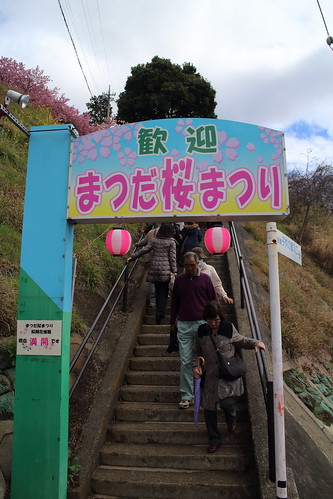
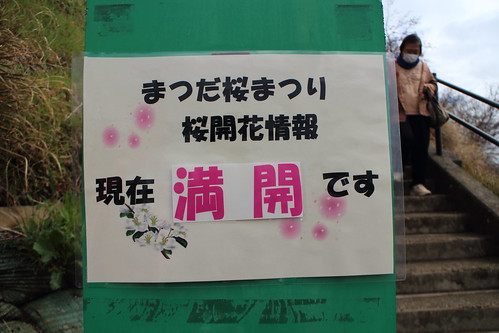

ハーブガーデンについてからおひる。晴れている。日が当たっているときはむしろ暑い。
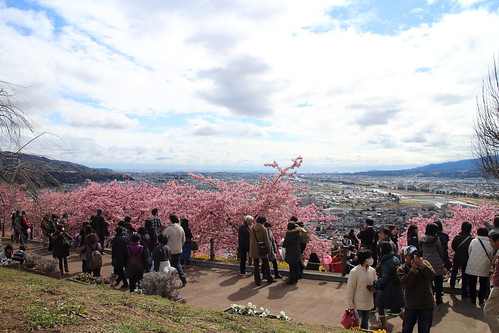

グライダー(?)が飛んでいた。たまに曇る。

望遠レンズでがんばってみたが、鳥を撮るのはなかなか難しい。

これも例年通りに菜の花を摘みにいくなど。菜の花がすべておひたしに見える。
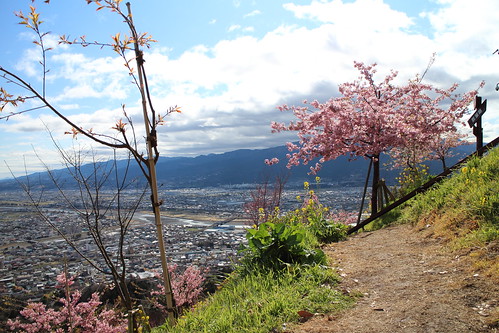
帰路は小田原まで移動してロマンスカーでばびゅんと帰宅した。

2018-03-08 :-)
_ 買い物をするなど
してきました

_ アニメを見るなどしました
アイカツスターズを見ました。エルザフォルテのいい最終回だった。
スロウスタートを見ました。「パンツ」を連呼していました。内田真礼の絶叫がよかったですね。
魔法使いの嫁を見ました。グーで殴ってました。
刀使ノ巫女を見ました。刀使たちが勝てる気がしないんですが。
宇宙よりも遠い場所を見ました。「パーシャル」という言葉を久しぶりに聴きました。
2022-03-08 :-(
2023-03-08 :-)
_ 業務日誌
代休
_ 第24回まつだ桜まつり
開催期間終了間際に行ってきた。だいぶ散ってた。
入場料が要求されるようになった。以前は無料だった。
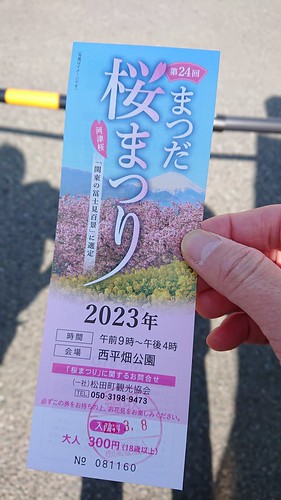
シーズンが終わる時期且つ平日だというのに人が多い。満開の時期の休日はめちゃ混雑してそう。外人も多い。

公園はベンチが設置されるなどしていた。以前はただ芝生があるだけで、ここにテキトーに座ってピクニックのようなことが出来た。



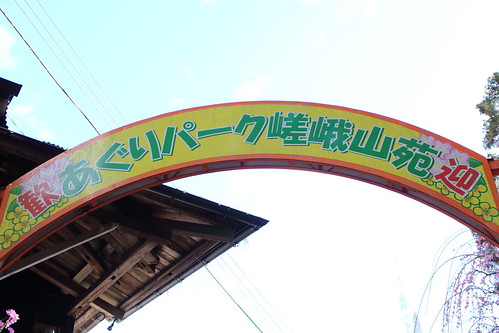
あぐりパーク嵯峨山へ。山を登る。ハイヒールで登山してる女性が何人か居た。ここは山だぞ。
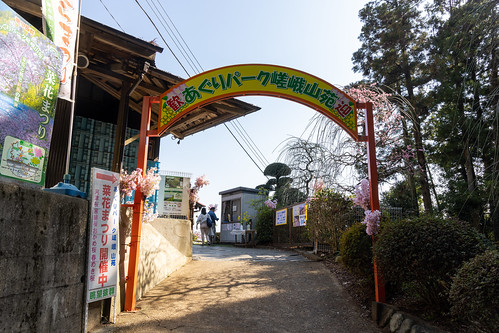

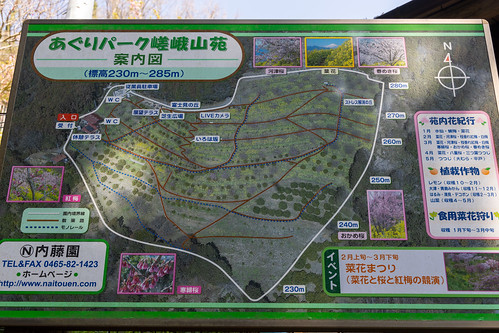




菜花を狩る。1回600円。以前は500円だった。値上げしたらしい。袋にたくさん詰め込んでおいた。


帰宅してから菜の花をゆがいた。袋に詰め込んだけどかなり多かった。


2024-03-08 :-(
_ 鳥山明が亡くなった
小学生の当時はドラゴンボール真っ盛りであり、当然 小学生の我々は毎週月曜日に週刊少年ジャンプを読んでいたので、月曜日の夕方や火曜日にはドラゴンボールの話題で持ちきりだった。
小学生のころ友人達と遊びで漫画を書いていて、当然絵柄はドラゴンボールに似るようになった。ベジータが初めて地球に襲来したときの悟空とベジータとの初戦闘の回を模写して遊んだ。「台風だな まるで」という悟空のセリフがあった回だったと思う。
日本の漫画文化どころか、世界中の人類に影響を与えた偉大なひとであろう。
すぎやまこういち、鳥山明。ドラゴンクエストは我々の青春と共に歩んでいた作品だ。
青春が無くなっていく。
_ 艦これ 2024 春イベント「発動!竜巻作戦」 E3 泊地突入!龍巻作戦
E3-2
甲でやりました。
割愛
E3-3
甲でやりました。
編成 https://aircalc.page.link/AiuV
支援は道中、決戦ともに砲撃支援。命中重視で電探ガン詰みしてました。
基地はボス集中。
砲撃支援を出してるので道中は単縦陣で。
ボスで斜めにして特殊攻撃。
キラ付けのために間宮伊良湖を使いまくりました。
かなりしんどかったです。


2026-03-08 :-)


_ PC をセットアップする
PS3 -> キャプチャデバイス -> USB -> PC という経路だが、グラフィックスボード付きの PC であっても OBS のプレビュー画面がカクつく問題は解決せず。 動画にエンコード出力 (グラフィックスボードを使う) されたファイルがカクつくのではなくプレビューの時点でカクつくので以下のどれかがボトルネックになっている。
- キャプチャデバイス
- USB
- PC
- NVIDIA GeForce RTX5060
- AMD Ryzen 7 8700F
グラフィックスボードや CPU がネックになることはなさそうなんだよなあ。キャプチャデバイスは知人からいただいた中華製の製品名すら無い物なので、これを変更してみるか...?





_ 矢道 [cygwin を入れちゃえば Windows 環境でも Unix 命令使えちゃうじゃないですか。 ちなみに Visu..]
_ みわ [>矢道さん ぁ、ぃゃ、客先で使っている実機の PC なのです。自由にアプリケーションを入れられず、また UnixUt..]
_ 矢道 [自分で使用するノートとか持ち込んでないんですな。 私は検索 Dir を共有化して自分のノートでネットワークドライブ設..]
_ みわ [>矢道さん 客先なのでいろいろ制約があるのです...。 自社から PC 持ってきてないし、私物のはさすがに使えないし..]